adobe.acrobat
Adobe Acrobat and PDF workflows (vendor hierarchy).
Part of the small adobe.* vendor hierarchy carried by some news servers: Acrobat questions, PDF creation and form problems, distilled — literally — by working users of the product.
Vendor hierarchies like adobe.* and microsoft.public.* were the manufacturer-adjacent wing of Usenet before web forums absorbed the function.
On this page
- Where the record puts this group, and where it does not
- The product family, disentangled
- Two numbering systems, and the confusion between them
- What a PDF is, as a file
- How a PDF was actually made
- Fonts, and why they were the problem
- Forms, and the two incompatible kinds
- The security years
- Accessibility and the structured document
- Asking the manufacturer, and the group that did it by vote
- What the record does not show about this group
- Scope and limits
Where the record puts this group, and where it does not
Start with something checkable. The Internet Systems Consortium distributes the master newsgroups file, the nearest thing Usenet has to a register of everything carried anywhere; the copy fetched while this page was written lists 45,003 group names spread across 479 distinct top-level hierarchies. Not one of those names begins with adobe. The file does contain the group that covers the same subject under Usenet's own governance — comp.text.pdf, described there as Adobe Acrobat and Portable Document Format technology, a line whose provenance is traced later on this page. What it does not contain is any trace of a vendor branch belonging to Adobe.
That absence is a fact about vendor hierarchies rather than a gap in this directory's records. A branch carried on a company's own news server, and picked up by whichever peers chose to take a feed, need never have issued a control message and so never entered the register at all; the administration of such hierarchies, the comparison with microsoft.public.*, and what the surviving ledger does and does not say about Adobe are all set out on the adobe.* hub, which owns that question and will not be re-argued here.
What this page owns is the software. Acrobat was not one program but a family whose members are now routinely confused with one another; PDF was made by at least four different routes that produced measurably different files; fonts were the single most common source of trouble in the period; forms split into two incompatible technologies, one of which is now unreadable in most viewers; and the format acquired, after the gateway's own lifetime, a security history substantial enough to change how the reader was built. The years the gateway carried the group — 2000 to 2004 — sit across Acrobat 4, 5 and 6, which is to say across the arrival of tagged PDF, the death of the PDF Writer driver, the split of the application into Standard and Professional editions, and the introduction of the XML form technology that would eventually be deprecated out of the standard.
Two boundaries are observed throughout. Prepress proper — imposition, screening, dot gain, colour management, the font-format wars of the late 1980s and the PDF/X exchange standards — belongs to the comp.publish.* page, which deliberately kept PDF light so that this page could carry it; the courtesy is returned. Typesetting by markup, where the letterforms are described by the system itself, belongs to the TeX page. The company, the dated history of the format and the 2008 handover to ISO belong to the Adobe hub.
The product family, disentangled
Adobe Acrobat launched on 15 June 1993 as three separate products, and almost every later confusion descends from that fact. Acrobat Reader displayed PDF files. Acrobat Exchange created, edited and annotated them. Acrobat Distiller converted PostScript into PDF. They were sold, installed and updated separately, and only the first of them was ever free.
It was not free to begin with, either. The Reader carried a retail price of 50 US dollars per user at launch, and it was the removal of that price with version 2.0 in September 1994 that began the format's real adoption. Charles Geschke, interviewed years afterwards, remembered the decision as the abandonment of a principle rather than a marketing tweak: the concept of giving away software, he said, was anathema, a very foreign concept, but it became obvious that doing so was the only way to get market penetration — Microsoft could assume that somehow or another everybody had Word, and Adobe could not assume that everyone was going to buy the Reader.
The names then drifted, in a way that has left secondary accounts contradicting each other ever since. Acrobat Exchange became simply Acrobat. Acrobat Reader became Reader, and formally Adobe Reader with version 6 in 2003 — the version that also split the paid application into Standard and Professional editions. In 2015 the whole line acquired the DC suffix for Document Cloud, and Reader was renamed back to Acrobat Reader, so that a reader who looks up the name today finds the 1993 term restored after a twelve-year absence. When a source of the middle 2000s says Acrobat it means the authoring application; when a source of 1994 says it, it may mean the family.
Around those three programs Adobe assembled a much larger catalogue, most of it now discontinued. The ones that turn up in period documents, and in the questions a support group would have been asked, are these:
- Acrobat Catalog, introduced with version 2.0 in 1994, which built full-text indexes across a collection of PDF files so that they could be searched as a set rather than one at a time. Its index files carried the extension PDX, and the index format was revised at version 6 in a way that broke compatibility with its predecessors.
- Acrobat Capture, a Windows utility that ran optical character recognition over a scan and produced a PDF with selectable text. The same capability arrived inside the application itself, under the name Paper Capture, at version 6.
- PDF Writer, a printer driver rather than an application, shipped inside Acrobat Exchange 1.0 and discussed at length below.
- PDFMaker, the add-in that Acrobat installed into other programs so that a PDF could be produced from inside them rather than through the print dialogue.
- Acrobat Distiller Server, released in 2000, which did the same conversion as Distiller but centrally, for a workgroup, on a client–server model. It was superseded by the PDF Generator component of Adobe LiveCycle and discontinued in 2013.
- Acrobat Approval 5.0, a cut-down paid product announced in 2001 whose selling point was that its users could fill in, spell-check, digitally sign, save and submit forms — the saving in particular being something the free Reader could not do.
- Acrobat Elements, a minimal PDF-creation product sold only through volume licensing: a minimum order of a thousand licences at version 6, reduced to a hundred at version 7. An Acrobat 8 Elements was withdrawn before its expected release in 2007.
- Acrobat InProduction, a prepress suite of 2000 handling colour separation and preflighting, and Acrobat Messenger of the same year, which turned paper documents into PDFs that could be e-mailed or faxed.
- Acrobat eBook Reader, whose features later reappeared in Adobe Digital Editions, and Acrobat 3D, added with version 7, which embedded three-dimensional geometry in the U3D format and, from version 8, the more compact PRC.
- Adobe LiveCycle Designer, the form-authoring tool bundled with Acrobat 7 Professional on Windows and unbundled again at version XI. Everything difficult about PDF forms passes through it; see below.
Two structural points about the family are worth stating plainly, because they shaped what a support group had to deal with. The first is that Adobe published a plug-in software development kit alongside Acrobat 2.0 in 1994, which created a third-party market inside the application: the preflight tool that shipped in Acrobat 6, for checking PDF/X files bound for the printing trade, was written not by Adobe but by callas software of Berlin, the firm of the PDF specialist Olaf Drümmer. A question about Acrobat behaviour in 2003 might therefore be a question about somebody else's code running inside it.
The second is the breadth of platforms. By version 2.0 the family ran on Windows, Macintosh, SunOS, Solaris, HP-UX, IRIX, AIX and OS/2; version 3.0 in November 1996 added Digital UNIX and Linux. The Unix line was interrupted rather than abandoned — version 6 in 2003 shipped no Unix or Linux reader at all, and version 7 restored them — and it ended with Adobe Reader 9.5.5, the last native Unix build, which stayed in use for years afterwards. This matters more for a Usenet page than it would for a general history, because reading news in the middle 1990s often meant sitting at a Unix workstation, and Adobe was one of the few consumer software companies of the period that shipped one a reader.
Two numbering systems, and the confusion between them
Every discussion of PDF eventually founders on the fact that there are two version numbers in play and they are not the same number. One belongs to the application; the other belongs to the file format, is written into the first line of every file as a header such as %PDF-1.4, and tells a consuming program which features may legally appear inside. The two do not even keep the same calendar: Adobe shipped Acrobat 4 in April 1999 but published the second edition of the reference describing PDF 1.3 in 2000, so a table of specification dates and a table of product dates will disagree by up to a year without either being wrong. The mapping between them, for the generations that matter to this group, runs:
- Acrobat 1.0 (June 1993) — PDF 1.0
- Acrobat 2.0 (September 1994) — PDF 1.1: passwords and encryption, device-independent colour, a binary format for smaller files
- Acrobat 3.0 (November 1996) — PDF 1.2: interactive form fields, Forms Data Format, zlib compression, Unicode
- Acrobat 4.0 (April 1999) — PDF 1.3: digital signatures, ICC and DeviceN colour spaces, JavaScript actions, embedded file streams, logical structure independent of graphical structure
- Acrobat 5.0 (May 2001) — PDF 1.4: transparency, tagged PDF, XMP metadata streams, encryption keys longer than 40 bits, printer's marks
- Acrobat 6.0 (2003) — PDF 1.5: object streams and cross-reference streams, JPEG 2000, optional content, XFDF, and the first support for XFA forms, static ones only
- Acrobat 7.0 (turn of 2004–05) — PDF 1.6: OpenType font embedding, AES encryption, 3D artwork, dynamic XFA
- Acrobat 8 (November 2006) and Acrobat 9 (June 2008) — PDF 1.7, subsequently published by ISO as ISO 32000-1
After that the two sequences part company for good. Adobe declared that there would be no PDF 1.8 reference and that future versions of the specification would be produced by an ISO committee; the intervening features it added to its own products were published as numbered Adobe Extension Levels on top of 1.7, which is why files exist that claim to be PDF 1.7 and contain constructs no reading of ISO 32000-1 will explain. The applications, meanwhile, went to Roman numerals at X in 2010 and to a year-based scheme after 2015.
The practical consequence for anyone reading old advice is that the header version is a statement about the file's feature ceiling, not about which program wrote it. Saving down to an earlier version — a routine request in a support group — did not simply relabel the header; it required the writing application to avoid or flatten the features the older version could not express, and the results were not always identical. The handover of the format itself to ISO, on 1 July 2008, is dealt with on the Adobe hub.
What a PDF is, as a file
A working knowledge of the container explains most of what puzzled people about it. A PDF file is organised as a collection of numbered objects — booleans, numbers, strings, names beginning with a slash, arrays, dictionaries written between double angle brackets, and streams of compressed binary data — preceded by a header giving the format version and followed by a cross-reference table that records the byte offset of every indirect object, then the startxref pointer and the %%EOF marker.
That cross-reference table is the whole design. Because a reader can find any object by seeking directly to a recorded offset, it does not have to execute the file from the beginning to draw page 400 — which is exactly what a PostScript interpreter did have to do, since PostScript was built to render a linear print job from start to finish and any page in it could be drawn correctly only as the cumulative result of every command that came before. PDF enforces the rule that PostScript could only recommend: the code for one page cannot affect any other page. Random access is the reason PDF could be a document format at all rather than a print stream that happened to be saved.
The same design permits incremental update. A change can be written by appending new objects and a new cross-reference section to the end of the file, leaving the original bytes in place; the trailer points at the newest table, and the older objects simply stop being referenced. It is fast and it is safe against corruption, and it also means that a file which has been edited may still physically contain what was there before the edit. Whether a given tool rewrites the file or appends to it is a property of the tool, not of the format, and the two behaviours are not distinguishable from the outside without looking.
From PDF 1.5 the cross-reference table could itself be a compressed stream, and ordinary objects could be packed together into object streams — a change that reduced the size of files containing very many small objects, which is to say files with a lot of structural markup, and which the specification singles out as especially useful for tagged PDF. Optimising in the other direction, a file could be linearised for what Adobe called Fast Web View: the objects reordered so that a server willing to answer HTTP range requests could deliver the first page while the rest was still arriving. On a modem this was the difference between a document and a download.
One consequence of all this is the most persistent misunderstanding in the format's history. A PDF records where the marks go, not how the text was composed. Acrobat can change the contents of a paragraph or an image, but doing so does not repaginate the document to accommodate a longer or shorter line; there is no galley behind the page to reflow. Every request in a support forum that begins with the desire to edit a PDF as though it were a word-processor file collides with that, and the collision is structural rather than a missing feature.
How a PDF was actually made
Adobe's own account of the founding idea is a description of a production route rather than of a format. Geschke, asked what the insight behind Acrobat had been, put it in one sentence:
If everything that matters goes through our [PostScript] printer driver, we can just capture it at the printing point and turn it into this electronic form.
Route one: print to a file, then distil. The classical method was to select a PostScript printer driver, tick the box marked print to file, and hand the resulting PostScript to Acrobat Distiller, which treated the program the way a compiler treats source — unrolling its loops, inlining what it could, discarding unused branches — and emitted the static declarative subset that PDF consists of. Two things about this route mattered and were regularly overlooked. The first is that the PostScript, not the original document, is what Distiller sees: everything the driver and the printer description file decided — page size, resolution, whether fonts were downloaded, how colour was handled — was already fixed before the conversion began. The second is that a PostScript print stream contains marks on a page and nothing about the document's logical structure, so a PDF distilled from one has no headings, no reading order and no tags unless something else supplies them.
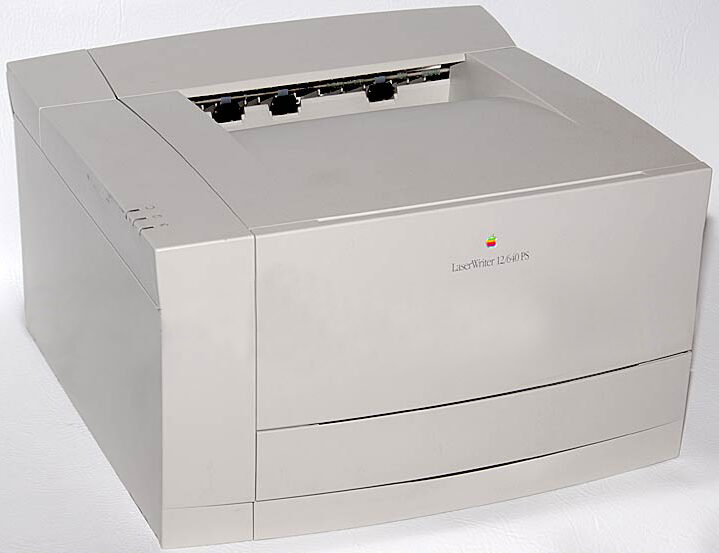

Distiller acquired preset configuration files at Acrobat 4 in 1999, saved with the extension .joboptions, so that a set of conversion choices could be fixed once, reused and passed between machines; version 5 in 2001 improved its colour handling. In 2000 the same engine appeared as Distiller Server for centralised conversion, and over time the desktop version retreated behind a printer driver of its own — the Adobe PDF printer, which produced the PostScript and handed it to Distiller invisibly, so that a great many users of the late product had no idea there was a two-stage process at all.
Route two: the virtual printer that skipped PostScript. PDF Writer, shipped inside Acrobat Exchange from 1.0, was a printer driver that took the operating system's own drawing calls and wrote PDF from them directly, with no PostScript stage. It was quicker and simpler, and it was not the same thing: what it received was whatever the platform's graphics layer chose to hand a printer. That distinction bites hardest on placed EPS artwork, because an EPS file is a PostScript program with a low-resolution preview encapsulated inside it for the benefit of programs that cannot interpret PostScript — so a path with no PostScript interpreter anywhere in it has only that preview to work from. Adobe retired the driver in stages. At Acrobat 5 in 2001 it survived only on Windows; at Acrobat 6 in 2003 it was abolished altogether, and the answer to a support question that began which should I use ceased to be a matter of taste.
Route three: export from the application. The third route was for a program to write PDF itself, from what it knew rather than from what it printed. Adobe's PDFMaker add-in did this from inside other applications, and Adobe's own drawing and layout programs wrote PDF directly. Outside Adobe the same idea spread quickly. Mac OS X built its drawing layer, Quartz 2D, on a model taken from the PDF 1.4 specification, and counted the display, manipulation and rendering of PDF, and the conversion of PostScript data into it, among the system's own services — which is why PDF creation on the Macintosh stopped requiring Adobe software at all. OpenOffice.org added PDF export to its own suite. Microsoft's case was the noisiest: Office 2007 had been promised PDF export, but following legal objections from Adobe it shipped without it, offering instead a separate free download — the Save as PDF or XPS add-in, published on 8 November 2006 — and only acquired native export with Service Pack 2, released on 28 April 2009.
Route four: someone else's implementation entirely. Ghostscript, the free PostScript and PDF interpreter, has shipped a conversion utility called ps2pdf for decades, and the standard recipe for a free PDF printer on Windows or Unix was a PostScript printer driver feeding Ghostscript behind it. The TeX world produced its own direct writers; that story belongs to the TeX page. What matters here is that by the middle of the decade the question how do I make a PDF no longer had Adobe's name in the answer, which is one of the quieter reasons a vendor support group loses its constituency.
The choice of route was not cosmetic, and the differences fell into four areas that recur throughout this page:
- Fonts. Whether a face was embedded, subsetted or merely named was decided partly by the driver, partly by the distilling settings and partly by permission bits inside the font file itself.
- Colour. A print path could convert colour on the way out according to the driver's idea of the destination device; an export path could preserve the document's own colour spaces and profiles. The prepress consequences of that choice, and the ICC machinery behind it, are the prepress page's subject, not this one's.
- Structure. Tags, bookmarks, hyperlinks, alternative text and reading order exist in the source document and not in a print stream. A route that discarded them could not be persuaded to invent them later, and adding them by hand in Acrobat afterwards was the tedious remedy.
- Interactivity. Form fields, annotations and JavaScript were added by an authoring tool. Nothing arriving through a printer driver had them.
Fonts, and why they were the problem
Nothing generated more traffic, in every group where PDF was discussed, than fonts. The format's original promise was that a document would look the same everywhere, and a typeface is the one part of a document that historically lived on the machine rather than in the file.
PDF's compromise was to define fourteen typefaces — the standard 14, or base fourteen: Times, Helvetica and Courier each in four styles, plus Symbol and Zapf Dingbats — which a file could reference without embedding, on the assumption that any reader would have them or a metrically identical substitute. The assumption is weaker than it sounds; the specification does not guarantee their presence, and a file relying on them may display correctly only where the system happens to have them installed. Everything outside those fourteen has to travel with the document or be simulated at the far end.
Embedding means placing the font program itself inside the file. PDF accepts the formats the industry actually used: Type 1 and its compressed Compact Font Format variant, TrueType, OpenType from PDF 1.6 onwards, and Type 3, in which the glyphs are drawn with PDF's own graphics operators. Subsetting means embedding only the glyphs the document uses, which was and remains the standard practice: it holds the file size down and it limits how much of a commercial typeface is being handed to the recipient. The cost is that the embedded subset cannot supply a character the document did not already contain, so a subsetted file cannot be edited to add text the original never used without the font being available again — and a font may forbid subsetting outright, which is a separate bit in the same permission field described below.
When embedding failed, the reader improvised. Acrobat carried multiple master substitution fonts for exactly this purpose — Adobe Sans MM and Adobe Serif MM, buried in the application's data resources, with CourierStd as a fixed-width fallback — and adjusted the master to approximate the missing face. Multiple master technology was designed for continuous interpolation between design axes, and font substitution in PDF readers became its most widely deployed application by far: a document rendered with substituted text usually looks nearly right, with the line breaks in roughly the right places and the letterforms subtly wrong, which is a far more dangerous failure than an obvious one. A proof approved on a substituted font and then output on a machine with the real one, or the reverse, is a job reprinted.
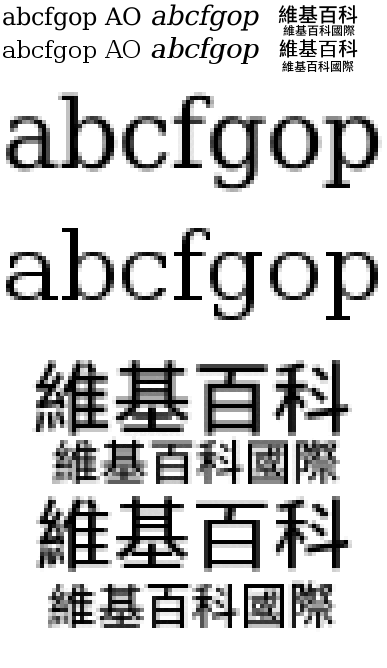

Character encoding is the second half of the problem and the reason PDFs so often refuse to be searched. Text in a content stream is a sequence of character codes mapped to glyphs through an encoding: WinAnsi, MacRoman, one of the East Asian encodings, or the font's own built-in table with a list of differences applied. The mechanism was designed around Type 1 fonts, and the rules for applying it to TrueType are, in the specification's own framing, complex. Large fonts and fonts with non-standard glyphs use the Identity-H and Identity-V encodings, where a code is simply a glyph index; unless the writer also supplies a ToUnicode table, nothing downstream can recover what letter a glyph was. This is why a perfectly legible page can yield gibberish when copied, and why a scanned page yields nothing at all: a scan converted without character recognition is an image, with no fonts and no text properties in it whatsoever. Acrobat 9's ClearScan addressed the appearance side of that by generating and embedding custom Type 1 CID fonts to match the shapes on a scanned page after recognition, rather than falling back on the system's own faces or on the multiple masters.
The third layer is legal, and it is expressed inside the font file. TrueType and OpenType carry an embedding permission field in the OS/2 table, fsType, and the specification assigns its lowest four bits exactly four permitted values: 0 for installable embedding, where the recipient acquires the same rights and obligations as the original purchaser; 2 for restricted licence embedding, meaning the font must not be modified, embedded or exchanged without the legal owner's explicit permission; 4 for preview and print embedding, where the font may be loaded temporarily and the document must be opened read-only; and 8 for editable embedding, where new text may be set in the embedded face and the changes saved. A further bit forbids subsetting, and another permits only the bitmaps in a font to be embedded. The rules for applications are equally explicit: they must not embed a font not licensed for it, must not alter the permissions when embedding, and must delete a temporarily loaded font when the document is closed. What the field cannot do is enforce anything — it is a flag inside a file that anyone holding the file can alter, and altering it changes nothing whatever about the licence it purports to record. For a production shop the practical position was that a document might be entirely correct and still refuse to embed a face, that the refusal was a property of the specific font file rather than of the typeface, and that two copies of the same typeface from different sources could behave differently.
The professions dealt with this by making embedding a rule instead of a habit. PDF/X-1a, the prepress exchange profile, requires that all fonts be embedded, and the archival subset described below goes further and forbids font linking outright, on the reasonable ground that a document intended to be read in fifty years cannot rely on a font being installed somewhere. The underlying dispute about font formats — Type 1 against TrueType, the licensing quarrel that produced OpenType — was fought out in the late 1980s and 1990s and belongs to the prepress page; what reached a PDF group was its consequences.
Forms, and the two incompatible kinds
PDF acquired interactive forms early and then acquired them a second time, incompatibly, and the two systems have coexisted in the specification ever since.
The first is AcroForms, introduced in PDF 1.2 with Acrobat 3.0 in 1996. An AcroForm is a set of field objects — text boxes, radio buttons, check boxes, buttons — living in the document alongside the page content, with actions attached to them, including submit, reset, import and, from the same era, JavaScript. Submission was flexible to a fault: a form could send its field names and values as an HTML form post, as Forms Data Format, as the later XML Forms Data Format, or by transmitting the entire document. FDF is defined inside the PDF specification and is essentially a stripped-down PDF whose body consists of a single object; XFDF is its XML equivalent, implementing only a subset of it — it cannot, for instance, spawn new pages from the data as FDF can — and it was itself standardised as ISO 19444-1 in 2019.
What made AcroForms difficult in practice was not the fields but the saving. The free Reader could display a form and let a user type into it, and then could not keep the result: filling and printing worked, filling and saving did not. Adobe's answer was to sell the capability at both ends. Acrobat Approval 5.0 was a paid cut-down product whose selling point was that it could save a filled form. On the other side, a usage-rights signature applied to the document by a server product could switch the capability on in the free Reader for that document only — the mechanism marketed as Reader Extensions, supported from Reader 5.1 and later part of Adobe LiveCycle. The arrangement bound a document's behaviour to a licence bought by whoever published it, and it aged exactly as one would expect: Reader 9 dropped compatibility with Reader Extensions 5 and 6, and legacy documents opened thereafter with the notice that the document enables Reader capabilities that are no longer enabled in this Reader version. Reader XI, in 2012, finally allowed filled forms and comments to be saved even in encrypted documents.
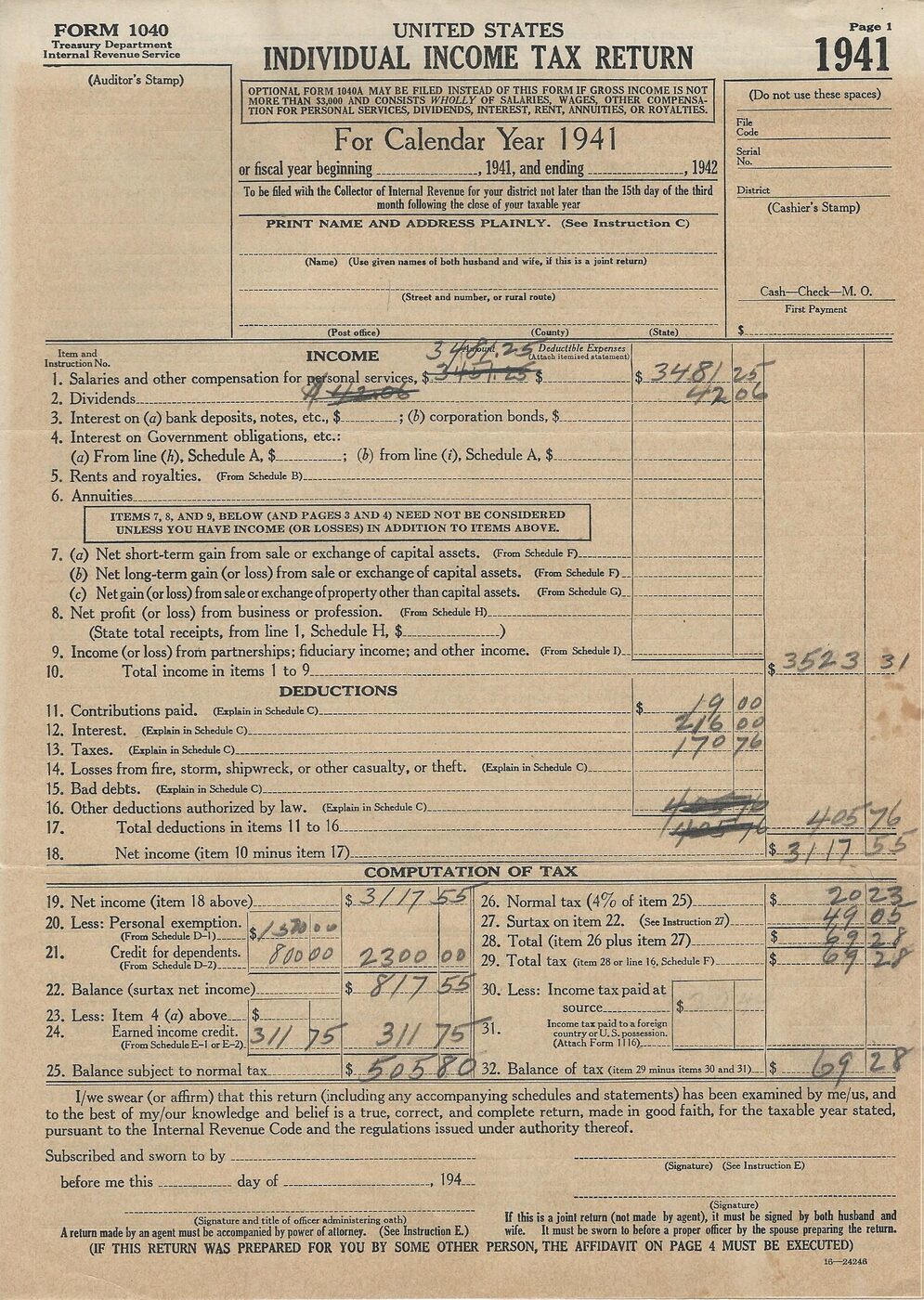

The second technology is XFA, the XML Forms Architecture, and its origins are outside Adobe altogether. XFA was developed by JetForm and submitted to the World Wide Web Consortium in May 1999; Adobe acquired JetForm in 2002 and introduced XFA forms with PDF 1.5 and the Acrobat 6 and 7 releases. Authoring them required Adobe LiveCycle Designer, bundled with Acrobat 7 Professional on Windows and unbundled again at Acrobat XI in 2012. XFA describes a form as an XML template whose main extension to XML is computationally active tags, and it comes in two kinds: static forms, whose layout is fixed whatever the field content, and dynamic forms, which change shape in response to their data — omitting a page for which there is nothing to say, or growing a field to fit its content. A dynamic form cannot rely on a PDF representation of its own boilerplate at all, because the positioning of that boilerplate moves as fields grow and subforms come and go; it must be rendered when the file is opened.
The packaging follows from that. A full XFA form is carried in an XML Data Package, either standalone or wrapped in a so-called shell PDF containing only a minimal skeleton of PDF markup plus the complete XFA content and the fonts and images needed to draw it. Because most PDF processors cannot render XFA, the recommended practice was to put a one-page image in the shell carrying a warning — the familiar Please wait... If this message is not eventually replaced by the proper contents of the document, your PDF viewer may not be able to display this type of document — which a capable viewer would replace or suppress and an incapable one would leave on screen. Anyone who has met that page has met a shell PDF working exactly as designed.
XFA was never standardised. It was referenced from ISO 32000-1 as an external proprietary specification, normative and indispensable but not included; in 2011 the ISO committee urged Adobe to submit it for standardisation and to stabilise it, and recorded its concern about the specification's stability; in 2017 the committee deprecated it from PDF 2.0 entirely. Development stopped at XFA 3.3, dated January 2012. Adobe's own answer for platforms that could not render it was to convert XFA into HTML5 fillable forms on a server, released in 2013 as Mobile Forms, which is not a single file at all.
What remains is a long tail of documents that require software almost nobody runs. Governments were among the heaviest adopters — XFA forms are synonymous with SmartForms in Australian government usage, and Immigration, Refugees and Citizenship Canada distributes many of its application forms as XFA PDFs that must be downloaded and opened in a desktop Adobe product rather than in a browser or on a phone. Browser-native viewers and mobile operating systems do not render XFA; neither do most independent PDF applications. LiveCycle itself was superseded by Adobe Experience Manager Forms, and the organisations concerned have been migrating to AcroForms or to HTML forms for years. It is an unusually clean example of a documented failure mode of proprietary extension: a technology bolted to a standard by reference rather than incorporated into it, deprecated by the committee that inherited the standard, and left behind in the files of people who merely wanted to apply for something.
The security years
This section postdates the group. The gateway that produced this directory ran from 2000 to 2004; the events below run from 2006 to 2013 and are recorded here because they are the reason the software described above no longer behaves as the period documents say it does. Nothing in this section is advice.
The reader had been programmable for a long time before it became a problem. Acrobat Reader has included support for JavaScript from version 3.02, and PDF 1.3 formalised JavaScript actions in the format; a document could therefore carry code that ran when it was opened. Adobe's specification for that scripting engine, Acrobat JavaScript, is one of the proprietary documents cited as a normative reference by ISO 32000-1 — indispensable, in the standard's own framing, to the full implementation of the standard, and never itself an ISO standard.
Public demonstrations began on 13 September 2006, when the penetration-testing researcher David Kierznowski published sample PDF files illustrating JavaScript vulnerabilities, together with proof-of-concept code showing that the reader could be used to initiate attacks without any action by the user. JavaScript had been disableable through the preferences menu since at least version 6, and embedded URLs that were launched were intercepted by a security warning dialogue, but the surface was large and the software was very widely installed.
The turn came in 2009. On 19 February Adobe published a security bulletin announcing JavaScript vulnerabilities in Adobe Reader and Acrobat versions 9 and earlier; the United States Computer Emergency Readiness Team's accompanying note recommended, as a workaround, disabling JavaScript in the affected products, cancelling their integration with the Windows shell and with web browsers, deactivating the Adobe indexing services and avoiding all PDF files from external sources — which is to say, recommending that a universal document format be treated as untrusted by default. By the last quarter of that year, McAfee's threat report recorded Adobe's applications as the most popular client-software targets for attackers.
Adobe's response is documented in its own words. A post on the company's security blog in May 2009, headed Adobe Reader and Acrobat Security Initiative and signed by Brad Arkin, then the company's director of product security and privacy, described a code-hardening programme applied to the existing codebase, changes to incident response, and — as an illustration of the scale involved — that on 12 May 2009 the company had simultaneously shipped 29 binaries to update 17 different versions of Reader and Acrobat, covering 32 languages across the Windows, Mac and Unix platforms. It then announced the change of rhythm that defined the following years:
Starting this summer with the initial output of our security code hardening effort, we plan to release security updates for all major supported versions and platforms of Adobe Reader and Acrobat on a quarterly basis. Based on feedback from our customers, who have processes and resources geared toward Microsoft's Patch Tuesday security updates, we will make Adobe's quarterly patches available on the same days.
The architectural answer followed in November 2010 with Adobe Reader X, which introduced Protected Mode: a sandbox built on features and techniques already in use by Google Chrome and Microsoft Office 2010, and implemented on later versions of Windows as a low-integrity process denied the ability to write to the user's files and settings, with User Interface Privilege Isolation applied to thwart keystroke-logging processes running at a higher integrity level. The reader had been re-engineered around the assumption that the documents it was given were hostile.
The other consequence was that the reader stopped being the reader. Mozilla released PDF.js in July 2011 — a PDF renderer written in JavaScript and drawing to an HTML5 canvas, explicitly motivated by the wish to display documents inside the browser's existing sandbox rather than handing them to an external application. It shipped inside Firefox from version 15 in 2012 and became the default from version 19 in 2013. Between browser-native viewers, operating-system viewers and independent applications, the free Reader ceased to be the thing everyone had; and a viewer that renders the common case perfectly well is also a viewer that will not run an XFA form or an embedded script, which closes the loop on the previous section.
Accessibility and the structured document
The other great absence in a page description is meaning. PDF 1.3 added a representation of logical structure independent of the graphical structure — a tree describing what the marks are, running in parallel with the instructions that draw them. PDF 1.4, in 2001 with Acrobat 5, built tagged PDF on that framework: a defined set of standard structure types and attributes for headings, paragraphs, lists, tables, figures and the rest, sufficient for a consuming program to extract the content and reuse it, and to know in what order it should be read.
The point of the reading order is worth stating exactly, because it is the part that is misunderstood. A page laid out in three columns with a pull quote in the middle contains no information at all, in its graphical layer, about which block follows which; a screen reader working from the drawing instructions alone will read whatever the page-drawing code happened to emit first. Tagging supplies the sequence. Alternative text supplies the content of an image. Neither exists unless something at the authoring end put it there, which is why the choice of production route described earlier is an accessibility decision as much as a typographic one.
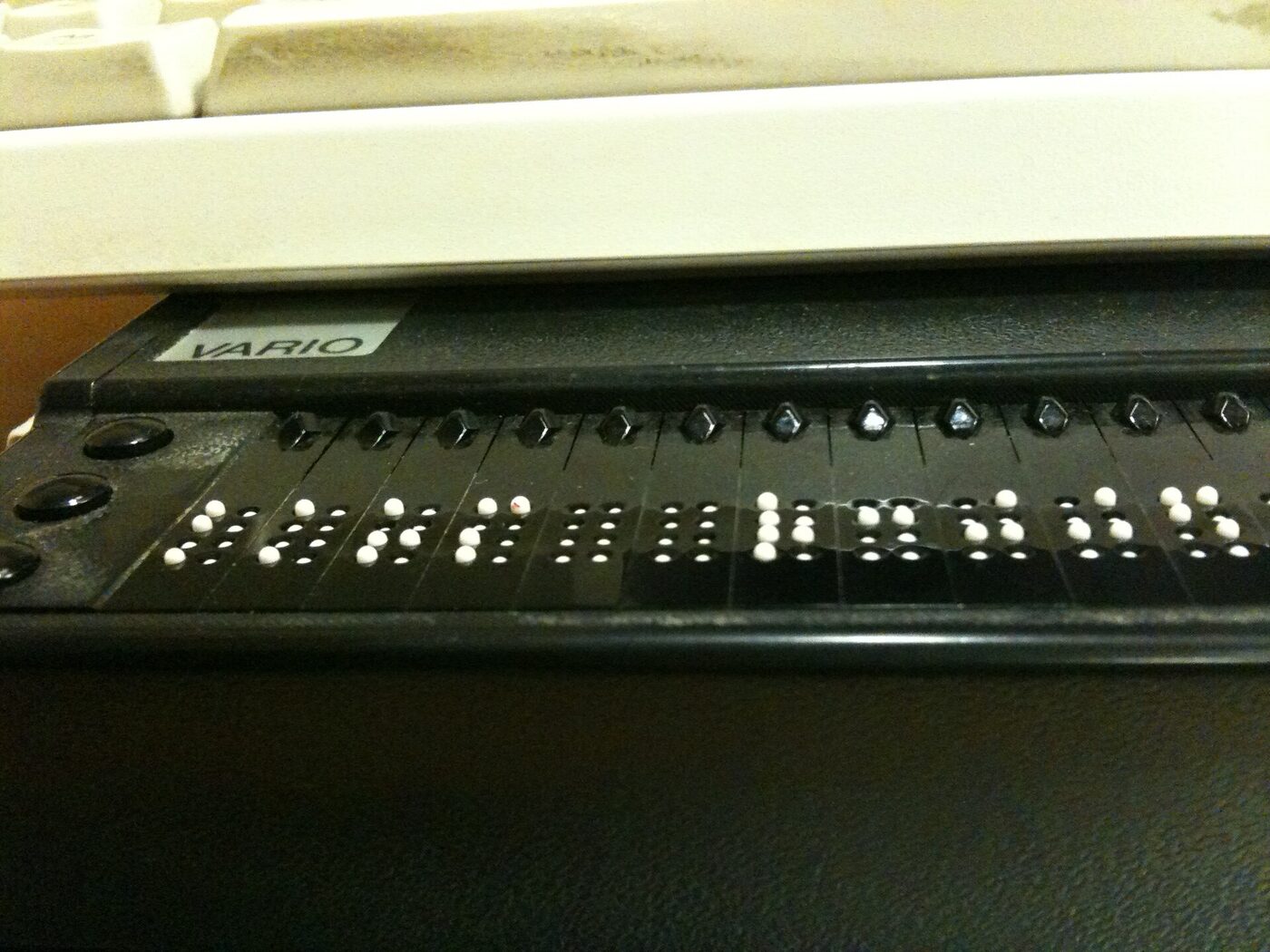

The same file can therefore be three different documents at once: the physical view that is displayed and printed, the tags view that assistive technology navigates, and the content view given by the physical order of objects in the content stream. Where a document has been made carelessly the three disagree, and which one a reader gets depends on which software is doing the reading.
Tagging was optional, and the rules for it in ISO 32000-1 were relatively vague; support among consuming devices, assistive technology included, remained uneven long afterwards, and ISO 32000-2 revisited the subject with an improved account. The dedicated conformance standard, PDF/UA, arrived as ISO 14289-1 in 2012 and is dated on the Adobe hub alongside the other standardisation milestones.
The archival subset came earlier and had a different motive. PDF/A was published as ISO 19005-1 in September 2005, based on PDF 1.4, for the long-term preservation of electronic documents. It works by prohibition: no encryption, no JavaScript or executable launches, no audio or video, no external content references, and no font linking — everything needed to render the page must be inside the file, the standard fourteen included. Part 2 followed in June 2011 based on ISO 32000-1, and Part 3 in October 2012, adding the ability to carry arbitrary embedded files, which is how an archival PDF can also contain the spreadsheet or the XML it was generated from.
PDF/A defines conformance levels, and the distinction is the accessibility one. Level B, for Basic, requires only what is needed to reproduce the document's visual appearance reliably. Level A, for Accessible, adds Level B plus a language specification, a hierarchical document structure, tagged text spans with descriptive text for images and symbols, and character mappings to Unicode — that is, everything needed for the content to be extracted and interpreted rather than merely looked at. Part 2 added an intermediate level, 2u, which is Level B plus the Unicode mapping. When an XFA form is converted to PDF/A the boilerplate and the field content are flattened into a fixed appearance stream, and all XFA content is forbidden apart, optionally, from the data the user typed: the archival format's judgement on dynamic forms, expressed as a rule rather than an opinion.
Between them the two standards mark out the pincer the format was in. A PDF was originally a promise about appearance; the accessibility and archival work of the 2000s was the discovery that appearance alone is not enough to preserve or to convey a document, and that the missing information has to be put in at the moment of creation by someone who knows what the document means.
Asking the manufacturer, and the group that did it by vote
A vendor group and an independent group about the same product are not the same social object, and the difference is easiest to see by looking at what the independent one had to do to exist.
The paper trail for comp.text.pdf survives complete in the Usenet administrative archive. A Request for Discussion was posted on 21 November 1994 by Peter Sutton, writing from Nottingham University, cross-posted to comp.lang.postscript, comp.text.desktop, comp.text.frame and comp.publish.cdrom.multimedia, and it argued about the name before it argued about anything else. Among the alternatives it put up for discussion, and did not adopt, was in effect the name this page sits under:
***.***.acrobat (e.g. comp.publish.acrobat) - acrobat is probably more understandable to Acrobat users than pdf. Although a name for Adobe's range of products it will probably become generic (like Hoover, Sellotape and Xerox). Leave ****.****.pdf to the programmers (as in comp.lang.pdf).
The charter that followed is a description of what people wanted a support group to be, written before anyone had one. Its numbered topics run from how to use Acrobat-compatible applications, through adding functionality to them, through problems and workarounds with the applications and with the underlying format, to bug reporting both for Acrobat-compatible applications and for any product claiming to support PDF — and then three separate clauses about the collection of user feedback to assist developers: in prioritising the areas requiring attention, in defining requirements and new opportunities, and in identifying technological issues and solutions. A group constituted by its readers was proposing, in 1994, to act as an unpaid product-management channel for a company that had not asked it to.
The rest of the machinery ran as the Big Eight required. A neutral third party, Ron Dippold, posting under the organisation Usenet Volunteer Votetakers, issued the Call for Votes on 22 January 1995 with a deadline of 23:59:59 UTC on 13 February; the call was also sent to a mailing list, [email protected], which is itself a reminder that the vendor's users had organised elsewhere first. The result was posted on 7 March 1995: 218 yes votes against 22 no, 240 valid votes in all, with one abstention, comfortably clearing both conditions — a hundred more yes votes than no, and two-thirds of the valid votes. (The control message that followed dates the report to 6 March, one of the small discrepancies the record leaves lying about.) After the five-day objection period the newgroup control message went out on 13 March 1995 over the signature of David C. Lawrence, then moderator of news.announce.newgroups, carrying the line to be added to every administrator's newsgroups file: Adobe Acrobat and Portable Document Format technology. That is the same string the ISC file carries today, three decades later, unedited — with one silent edit made at the moment of creation, since every earlier document in the sequence, the RFD and both calls for votes, had proposed Adobe Acrobat and related Portable Document Format technology, and the word related did not survive into the control message.
One detail in the published tally is worth recording because it is checkable and rarely noticed. The votetaker published every voter's address, as the rules required, and 26 of the yes votes came from addresses inside Adobe: 24 of them on the company's Mountain View machines at mv.us.adobe.com, one on adobe.com itself and one from a European office. Not one Adobe address appears among the no votes or the abstention. Adobe staff, in other words, voted as individuals to create an independent group about their employer's product, in a process the company had no power over. It is not evidence of a corporate position; it is evidence that in 1995 the boundary between a vendor and a user community ran through the network rather than around it.
A vendor group inverted all of that. There was no proposal, no discussion period, no vote and no neutral votetaker: the hierarchy's owner decided what groups existed, what they were called and what they were for, and published the list. What a reader gained in exchange was specificity and, sometimes, the presence of employees who could say what a product actually did; what they lost was any claim on the name. When the vendor stopped running the service, the groups did not migrate — they stopped. The administration of such hierarchies, and the fully documented microsoft.public.* case, are covered on the Microsoft hub and on the Adobe hub respectively.
For a subject like this one the practical difference was smaller than the constitutional one. The questions were the same questions — a font that would not embed, a form that would not save, a file that printed wrongly at the bureau — and the people answering them were, in both kinds of group, mostly other users. What the vendor branch offered was a name that told a newcomer where to go, which in a namespace of tens of thousands of groups was not a trivial service.
What the record does not show about this group
Stated plainly, so that nobody has to infer it from silence: there is no entry for adobe.acrobat, or for any group beginning adobe., in the master newsgroups file. There is no directory for the hierarchy in the archive of control messages, where microsoft/ and opera/ both have one and a request for adobe/ returns nothing at all. There is no Request for Discussion, Call for Votes or result, because a vendor hierarchy did not use them. There is no charter beyond the one-line description this directory's own gateway recorded, and no surviving statement from Adobe about a public news server, its address or its closure.
The one document that would settle the question of this group specifically is a saved article from it: the Newsgroups and Path headers of a single post would show the name as it propagated and the route it travelled. The hub page lists the other artefacts that would establish who ran the hierarchy, and keeps the standing request for them; corrections and documents are welcome there.
What can be said is narrow and true. A gateway that served users between 2000 and 2004 listed a group called adobe.acrobat and described it as covering Acrobat and PDF workflows. Vendor hierarchies of that shape were a real, documented feature of the period. The subject the group was named for is documented in great detail, which is why this page is mostly about the subject.
Scope and limits
Everything above about products, versions and dates was checked against the published version histories of the software in English and German, the published version history of the file format, the ISO standards that now govern it, and, where they are quoted, the primary documents themselves. Where two reputable accounts give different months for the same release — Acrobat 6 and Acrobat 7 are both cases, the first given as April or July 2003 and the second as the end of December 2004 or January 2005 — the year is given and the month is not, rather than a choice being made silently between them.
Two claims in earlier drafts of this page did not survive checking and are not made here. Nothing is said about who may lawfully alter a font's embedding permission field, because no reputable source was found for the legal position; the field is described for what it demonstrably is, a flag inside a file. And the count of Adobe voters in the 1995 tally is given as it appears in the published list — 26 Adobe addresses, of which 24 are Mountain View ones — rather than the round figure a quick reading produces.
Nothing here describes the traffic of adobe.acrobat itself: not its volume, not its readership, not a single thread or participant. No such record was found, and inventing group colour to fill the space would defeat the purpose of a directory whose only asset is that its statements can be checked. The technical descriptions are of the format and the products as documented, not of what any particular person in any particular newsgroup said about them.
Two neighbouring pages carry material deliberately excluded here. The comp.publish.* page holds prepress, imposition, screening, colour management, the font-format wars and the PDF/X exchange standards. The adobe.* hub holds the hierarchy question, the company, the dated history of Acrobat and PDF, the 2008 handover of the format to ISO and the general migration from news servers to web forums. Readers arriving from either will find the boundary respected in both directions.
Reading adobe.acrobat today
- Historical archive: Google Groups — adobe.acrobat (coverage varies by group and era).
- Open in a newsreader:
news:adobe.acrobat— the original site offered exactly this link, and it still works if your system has a newsreader registered for thenews:scheme. - Live access: point an NNTP newsreader at a modern server — see accessing Usenet today.
- The original news2mail e-mail subscription service ended in the mid-2000s and no longer operates.