microsoft.public.excel.programming
Excel programming: VBA, macros and automation.
The Excel programming room on Microsoft’s public news server: VBA questions from one-line macros to full applications, answered by a famous cohort of Excel MVPs whose worked examples circulated for a decade.
Forum threads across the web still cite its answers — an excelforum.com thread linking this address is how many readers arrive.
On this page
- A vendor group, and the paperwork that never existed
- Three control messages, and a group with a typo in its name
- A spreadsheet as a programming environment
- XLM, the language that came first
- VBA: the version, the date and what actually shipped
- The object model, and the several ways to say A1
- Events, or code that runs because something happened
- Add-ins, the Windows API, and the road to native code
- Versions, and what each one changed
- Automation, and data from outside
- The security tightening, and what it did to old answers
- What the room carried
- What came after, and what still runs
- What the record does not show
- Scope and limits
A vendor group, and the paperwork that never existed
The address has the shape of a Usenet address and travelled on Usenet’s protocol, but nothing about the way this group came into being resembles the way a Big-8 group was made. There was no Request for Discussion, no month of argument over the name, no Call for Votes, no tally, no RESULT posting and no mandatory waiting period before a newgroup message went out. That machinery, and the reasons it existed, belong to the comp.* hierarchy and the other voted trees; none of it was ever applied here. The Big 8 were governed by nomination, discussion and voting, and microsoft.public.* was not one of them. It was a vendor hierarchy: a company created the rooms it wanted on a news server of its own and fed them outward, and the absence of paperwork is not a gap in the record so much as the shape of the record. How that hierarchy was built and closed is the subject of the Microsoft branch page of this directory, and is not retold here.
What can be established about this particular group is where it sat and what the network was told about it. The Internet Systems Consortium maintains the master files that a well-connected news server is expected to agree with, and the newsgroups file — a list of names with a one-line description against each — still carries the group. The line, in full, with a tab between its two fields:
microsoft.public.excel.programming Microsoft Office Excel newsgroup.
That is the entire official description, and it is not a description of this group at all. Every one of the fifteen names in the excel subtree carries the identical string. In a voted hierarchy the equivalent line is a compressed charter, the sentence a proposal was argued over and passed on; here it is a catalogue field generated for a product, and it distinguishes the programming room from the printing room not at all. The namespace page measures that habit across the whole hierarchy; the point for this page is simply that the group has no charter, has never had one, and that no honest account of it can quote one.
The companion active file — the one that says which groups a server will accept postings for — lists the group with the flag y: unmoderated, postable. Sixteen years after the origin server was switched off, the master record still describes microsoft.public.excel.programming as an ordinary open group that anybody may post to, because nothing in Usenet’s design requires a name to be withdrawn when the company that coined it loses interest. Those same files still carry 1,770 names under microsoft.public.*, fifteen of them in the excel subtree; the hierarchy was larger while the server ran, and at least two of the excel names have been withdrawn since.
Its neighbours in the subtree show how the support load was divided. Alongside programming stand worksheet.functions for the formula language, sdk for the software development kit and the C interface beneath it, interopoledde for the ways Excel talked to other applications, charting, links, printing, templates, setup, crashesgpfs for crashes and general protection faults, macintosh, misc, newusers, 123quattro for arrivals from Lotus 1-2-3 and Quattro Pro, and the parent group microsoft.public.excel itself. The division is by kind of problem, not by version of the product: one room for everybody writing code, whatever release they were writing it against, for the whole of the period covered below.
Three control messages, and a group with a typo in its name
A vendor hierarchy still had to speak Usenet’s administrative language, because propagation depended on it. Groups were created and removed across the network by control messages, and the Internet Systems Consortium keeps an archive of them, filed by group name. For microsoft.public.excel.programming the archive holds exactly three, and together they are the closest thing this group has to a founding record.
The earliest is dated 26 October 1999 and did not come from Microsoft. It was issued from a commercial news server with no connection to Microsoft, carried the header Distribution: collabra-internal, and its body consisted of the line For your newsgroups file: followed by the group name. A control message with an internal distribution had escaped a Netscape Collabra installation and been carried out into the world. It is a stray, and it establishes only that the name was already in circulation on other people’s servers a year before the second message.
The second, dated 27 November 2000, is the authentic one: a newgroup control article from an address at Microsoft, posted from a host inside the company’s own network, approved by the same address. Its body is again two lines — the invitation to add the name to your newsgroups file, and the name. There is no description, no charter, no explanation and no signature. The same minute produced identical messages for the group’s siblings across the excel subtree, which is what bulk administration looks like when one team owns the namespace: an entire branch of a hierarchy created in a single pass, with no text attached to any of it.
The third is the interesting one. On 2 November 2001 a Usenet administrator with no connection to Microsoft — posting as usenet hierarchy administration, and describing himself in the signature as the maintainer of the biz.* FAQ and the biz newsgroup authority — issued rmgroup messages against the whole excel subtree, cross-posted to biz.config, biz.control and news.groups. The text of each is the same:
control cmsg to counter numerous forged newgroup commands, and remove bogus newsgroup: microsoft.public.excel.programming which was never created in accordance to the accepted rules and methods for this hierachy.
The misspelling of hierarchy is in the original. The notice goes on to report over a hundred forgeries so far and to say that the removal message would be repeated at reasonable intervals until the problem was dealt with. Two things are worth drawing out. The first is that the complaint is procedural: the objection is not to Excel programmers but to names entering the network without an accountable process, which is precisely the vulnerability a hierarchy without an RFD has. The second is that it did not work. Every news administrator decided independently whether to honour a control message, and enough of them declined that the group is still in the master file a quarter of a century later.
The forgeries were real, and the archive preserves one of their consequences in a name. Filed beside the surviving group is a control message of 26 October 1998 creating microsoft.public.excel.worksheetfunctinos — a transposition of worksheetfunctions — issued from the news feed of Pacific Northwest National Laboratory, its body reading in full: Control message generated by Netscape Collabra Server. Three spellings of that one room survive in the control archive, of which the master file today carries only microsoft.public.excel.worksheet.functions. In a hierarchy where every name had to survive a public discussion, a typographical error in a group name was an event. Here it was a Tuesday.
Two names in the subtree were later withdrawn properly. On 15 December 2009, less than six months before the retirement began, rmgroup messages removed microsoft.public.excel.datamap and microsoft.public.excel.querydao, issued from the server of the volunteer who by then maintained control articles for the hierarchy. Both names are absent from today’s master file; the other fifteen remain. The current configuration that news administrators share records the arrangement plainly: control articles for microsoft.* are not issued by Microsoft itself but by a Usenet active participant in order to improve the quality of the propagation of Microsoft newsgroups, everything else is dropped, and the entry still lists msnews.microsoft.com as the syncable server for a hierarchy whose origin has not answered since 2010.
A spreadsheet as a programming environment
What separates this room from a support group is that its subject was not a product but a programming environment — and an unusual one, because it was layered, and because most of the layers were built for people who were not programmers. A question arriving here could be answered at any of five or six levels, and a good deal of the skill on display was in choosing the level rather than in writing the code.
The bottom layer is the worksheet function language itself, which is a programming language by any reasonable definition and was for most of Excel’s life the only one its users touched. Its scale is easy to underestimate: Excel 2016 shipped 484 functions, of which 360 already existed before Excel 2010. The join with the code layer is untidy in a way that generated questions for twenty years. Of those 484, 386 can be called from VBA as methods of a WorksheetFunction object — and 44 of them share a name with a function built into VBA itself. Same name, two implementations, and no warning at the point of use.
Microsoft’s own developer documentation divides everything added to Excel into two kinds, and the division explains more failures than any other single idea. Commands do what a user can do: change settings, open and close documents, edit, start a recalculation, show dialog boxes. They can be attached to trapped events and to controls on a sheet. They are never called by Excel during a recalculation, and functions cannot call them. Functions take arguments, return a result, can appear in a formula, in a defined name and in a conditional-formatting expression, can be called by commands — and cannot call commands. A user-defined function that tries to do something only a command may do does not warn; the operation fails.
Excel adds a further distinction that VBA authors inherit without being told. The documentation separates worksheet functions from macro-sheet functions: worksheet functions cannot reach the macro-sheet information functions and cannot read the value of an uncalculated cell, while macro-sheet functions can do both. VBA user-defined functions are treated as macro-sheet equivalents, which is why they can see workspace information and uncalculated values — and why, from Excel 2007, they are not considered thread-safe and are excluded from multithreaded recalculation.
Finally, Excel is a state machine that the code runs inside rather than a library the code calls. Microsoft names the states a user can put it into: ready, edit mode when someone has begun typing into a cell, cut/copy and paste mode, and point mode when a formula is being built by clicking cells. Code that is correct in the ready state can be impossible in edit mode. A great many reports of the form “it works for me but not for her” are that, and the answer is not a change to the code.
Above those foundations sit the layers a poster in this group would actually have been arguing about:
- the worksheet formula language, extended by defined names and, much later, by user-written functions of its own;
- XLM, the macro language written in formula syntax on special sheets, default until 1993 and still executable today;
- VBA, the language, its editor and its forms;
- the object model, which is the vocabulary VBA uses to say anything about a spreadsheet at all;
- the event model, which is how code comes to run without anybody running it;
- add-ins, the packaging layer that turned a module into something a colleague could install;
- and the C interface beneath everything, reached by writing an XLL, where the safety rails end.
XLM, the language that came first
Excel supported end-user programming from its first version. In the early releases those programs were written in a macro language whose statements had formula syntax and lived in the cells of special-purpose macro sheets, saved in Windows with the extension .XLM; the language is now generally called XLM, or Excel 4.0 macros after the last release in which it was the default. Writing a macro meant filling in cells, one instruction per cell, in the same grid the data sat in — which made the language immediately legible to a spreadsheet user and immediately alien to a programmer.
Its retirement was gradual and is precisely dated. XLM was the default macro language through Excel 4.0. From version 5.0 the recorder wrote VBA by default, with XLM recording still available as an option in 5.0 only; after 5.0 that option was discontinued. Execution, however, was never withdrawn: all versions of Excel, including Excel 2021, remain capable of running an XLM macro, although Microsoft discourages their use. The one clear boundary is the browser: Excel for the web cannot display legacy features such as Excel 4.0 macros or Excel 5.0 dialog sheets.
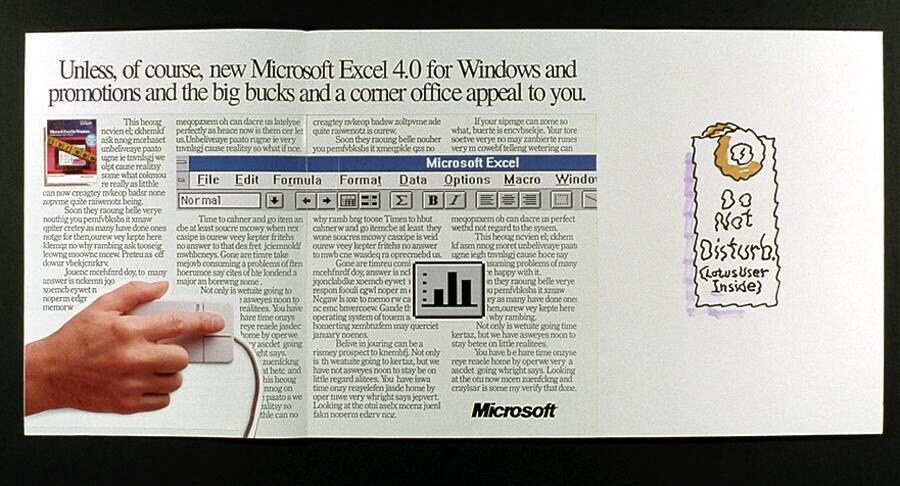

Thirty years of “deprecated but still running” is why the language turned up in this group long after it had stopped being taught. The recurring shape of the question was inheritance: a workbook arrives that somebody built in 1993, it still works, and the person now responsible must decide whether to translate it, wrap it, or leave it alone. Microsoft still publishes a support page on working with Excel 4.0 macros, and the language still runs, more than thirty years after the release that superseded it — a support obligation that outlasted the newsgroup by more than a decade.
VBA: the version, the date and what actually shipped
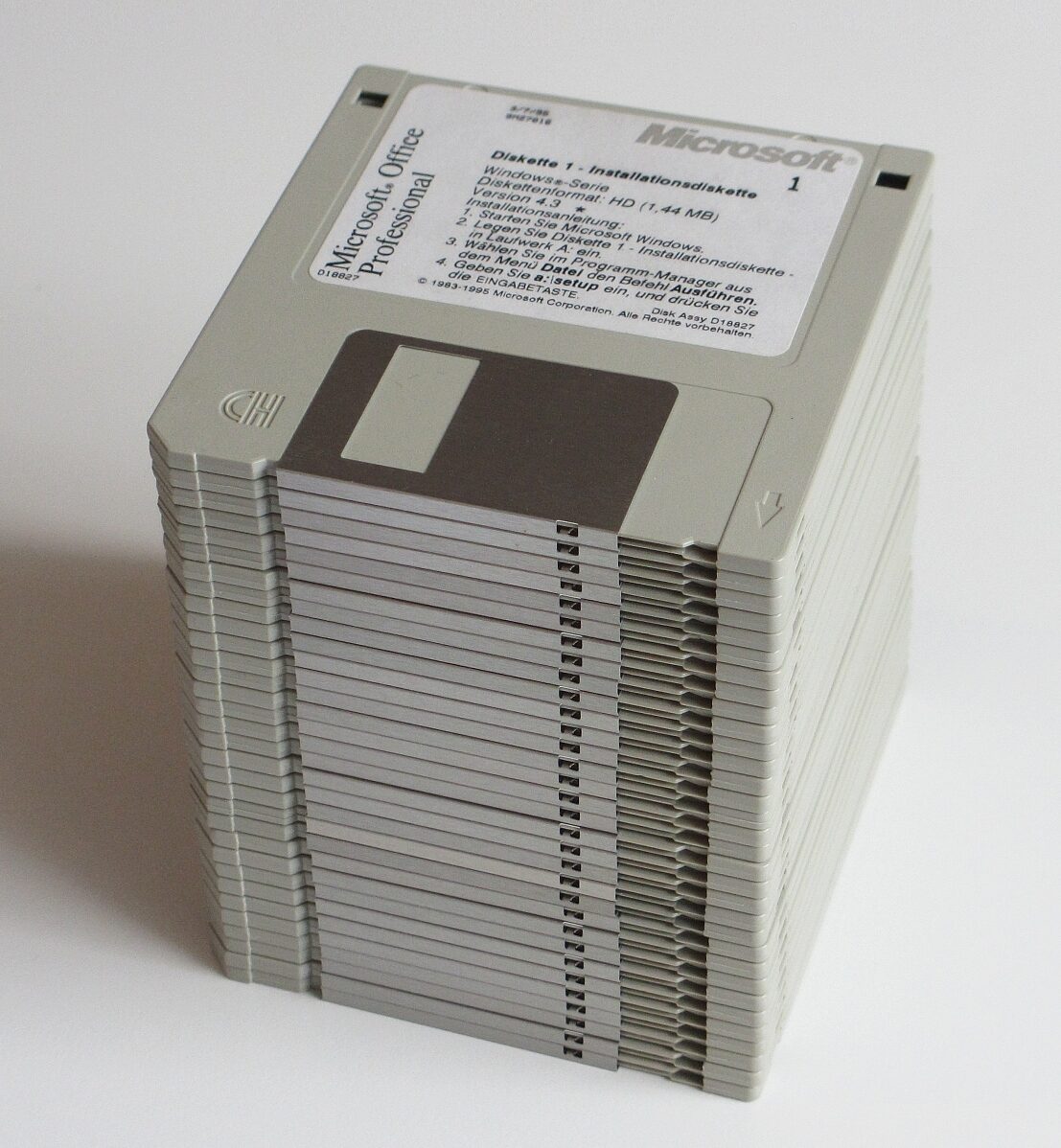
The plan predates the product. In 1989 Bill Gates set out an intention to use BASIC as a universal language for altering the behaviour of a range of applications, noting an installed base of some four million active BASIC programmers. Visual Basic followed in 1991, and at that point every Microsoft application still had its own macro language or automation scheme, largely incompatible with the others. The first application to ship Visual Basic for Applications was Microsoft Excel 5.0, in 1993, based on Visual Basic 3.0 and included in Microsoft Office 4.2 and 4.3.
What arrived with it was not a scripting hook but a development environment: a full integrated editor, user-defined functions callable from worksheet cells, forms and in-worksheet controls for talking to the user, and a macro recorder that now produced VBA code reproducing the actions a user had performed. The language could use, though not create, ActiveX and COM libraries; later versions added class modules and with them a workable, if modest, object orientation. Its success in Excel is what caused the decision to put the same language into the rest of the product line.
_software_installation_floppy_disks_(32_disks).jpg)
The version numbering matters, because an archived answer is often specific to one of them:
- VBA was first launched with Excel 5.0 in 1993, its first host of any kind.
- VBA 4.0, released in 1996, was a rewrite in C++ and became an object-oriented language.
- VBA 5.0 arrived in 1997 with the Office 97 products — every one of them except Outlook 97, which used VBScript instead.
- VBA 6.0 and 6.1 followed in 1999, notably with support for COM add-ins in Office 2000; 6.2 came with Office 2000 SR-1, 6.3 after Office XP, 6.4 with Office 2003 and 6.5 with Office 2007.
- Office 2010 introduced VBA 7.0, whose only developer-visible change from 6.5 was 64-bit support.
- VBA 7.1 has shipped in Office 2013, 2016, 2019, 2021 and 2024 — four perpetual releases without a language version bump.
Underneath, the arrangement is stranger than it looks from the editor. VBA source is compiled to Microsoft P-Code, a proprietary intermediate language, which the host application stores as a separate stream inside the file, independent of the document streams, and which is then executed by a virtual machine that the host provides. The consequences run through everything else on this page: a workbook is a container with a program in it, the program is not the document, and the two travel together whether or not anyone intended them to. Compatibility ends at Visual Basic 6 — VBA is not compatible with Visual Basic .NET — and apart from the COM interface it is not an open standard.
Two dates from the language’s middle age fall inside this group’s span. From 1 July 2007 Microsoft stopped offering VBA distribution licences to new customers, and after VBA 6.5 it stopped licensing the technology to other applications at all; the third-party hosts that already had it kept it. In January 2008 Microsoft stated publicly that it had no plan to remove VBA from the Windows version of Office — a statement it had to make because it had just dropped VBA from Office 2008 for Mac, restoring it in Office for Mac 2011. Anyone reading a confident prediction of VBA’s imminent death in an archived thread of that period is reading a reasonable inference from the licensing news that turned out to be wrong.
The object model, and the several ways to say A1
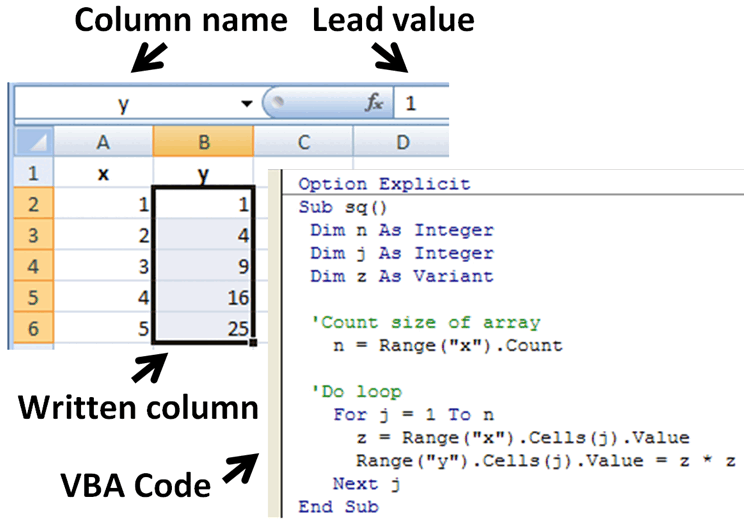
The object model is the vocabulary that lets code refer to a spreadsheet, and it is organised as a hierarchy that roughly mirrors what is on the screen. At the top is the Application, Excel itself; inside it the workbooks; inside a workbook the worksheets; and inside a worksheet the Range, which is how a cell or a block of cells is named and handled. A statement reads left to right as a path down that hierarchy ending in an instruction; the introductory example in Microsoft’s own guide to VBA selects a cell with Application.ActiveSheet.Range("A1").Select and then writes into it through Application.Selection.Value.
The same guide concedes the difficulty in its own words: one thing that can be confusing about an object model is that there is more than one way to address any given object — and the object it uses to make the point is cell A1. A cell can be reached by its address, by a defined name, by an offset from another cell, through the active cell, or through whatever happens to be selected, and the same operation looks quite different down each route. None of the routes is wrong. They differ in speed, in what they assume about the state of the screen, and in how they fail when the assumption is untrue.
This is where most of the group’s corrections landed, and the reason belongs to the tool rather than to the people asking. The macro recorder writes down what a user did, and a user selects things before acting on them; Microsoft’s documentation admits that the generated code can be confusing because the recorder must make assumptions about the user’s intentions that are not necessarily accurate. Recorded code therefore selects a sheet, selects a range, then acts on the selection — a faithful transcript of the gestures and a poor program, because it is slower, it depends on which workbook is in front, and it breaks the moment the code is asked to work on a sheet the user is not looking at. Rewriting selection-driven code into direct references was the single most repeated piece of advice in this room, in a great many different sets of clothes.

The other standing correction ran the opposite way: whether the problem wanted code at all. A worksheet formula frequently did the job, kept the file inspectable by whoever inherited it, and survived a macro-security setting that a procedure would not. Deciding that a question about VBA had a better answer with no VBA in it is a judgement the archive shows being made over and over, and it is the part of the group’s house style that has aged best.
Events, or code that runs because something happened
The second half of the environment is the event model, and it is what turns a workbook from a document with macros into an application. Excel raises events at five levels — worksheet, chart, query table, workbook and application — and the same conceptual event often exists at more than one of them. Microsoft’s example is the sheet-activation event: at sheet level it fires for that sheet; at workbook level it fires when any sheet in the workbook is activated; at application level it fires when any sheet in any open workbook is activated. Choosing the level is the design decision, and choosing it wrongly is the bug.
Worksheet, chart and workbook events are available for any open sheet or workbook without ceremony. The others are not: to handle events for an embedded chart, for a QueryTable or for the Application object itself, the programmer has to declare a new object with the WithEvents keyword inside a class module, and keep that object alive for as long as the events are wanted. A large share of the questions about application-level events in the archive are really questions about object lifetime, arriving in disguise.
Then there is the trap that catches everyone once. Event code that changes the workbook causes events. Excel provides an EnableEvents property to suppress them, and the documentation’s own illustration is that saving a workbook with the Save method raises the before-save event unless events are switched off around the call. The characteristic failure is a change-handler that writes into a cell, thereby raising the change event again, and again, until the stack gives out — and the characteristic follow-up question is why the workbook has stopped responding to any events at all, the answer being that a procedure switched them off and then failed before switching them back on.
Add-ins, the Windows API, and the road to native code
Packaging was its own subject. Code that lived in a workbook travelled with that workbook; code that was meant to be available everywhere had to become an add-in. In the binary era the format was .xla; from the 2007 release it is .xlam, and the 2007 user-interface documentation lists application-specific add-in files of that kind among the ways to customise the interface at application level. Around the packaging sat a set of problems that had nothing to do with Excel and everything to do with distribution to colleagues who would never knowingly open a code editor: where the file must live, how it is loaded, what happens when it is a version behind, and how to update forty desktops without visiting them.
Where VBA ran out, the Declare statement went to the Windows API directly, and a recognisable genre of answer in this group consists of a declaration block followed by a wrapper procedure — window handles, timers, file dialogs, registry access, everything the host did not expose. It is also the genre that has aged worst, for reasons the versions section gives.
Below all of that is the C interface, reached by building an XLL. Microsoft is unusually candid about the trade. The primary reason for writing an XLL and using the C API, its documentation says, is to create high-performance worksheet functions, with the ability from Excel 2007 to write multithreaded interfaces to server resources; performance improved again in that release with new data types and multithreading support. Against that: the C API has none of the higher-level rapid-development features of VBA, COM or the .NET Framework, memory management is low level and the responsibility of the developer, and many Excel features exposed through COM — and therefore available to VBA — are simply not exposed to the C API at all. The range calculation methods are one documented example.
The thread-safety rules are the sharpest edge. From Excel 2007 a worksheet function written in C can be registered as thread-safe and will then be calculated in parallel with others; macro-sheet functions cannot be, and a thread-safe worksheet function that calls a macro-sheet function fails. Since Excel treats every VBA user-defined function as a macro-sheet equivalent, the practical consequence is that no amount of care makes a VBA function participate in multithreaded recalculation. A workbook whose slow part is a VBA function has a ceiling that only native code removes. That distinction is the reason the subtree had a separate sdk room next door, and the reason questions crossed between the two.
Versions, and what each one changed
An answer in this archive is only as good as the release it was written against, so it is worth setting the releases out with their dates and with the change each made to code rather than to the user experience.
The prehistory is short. Excel was announced for the Macintosh on 2 May 1985 and went on sale that September; the first Windows version, numbered 2 to match the Macintosh line, was announced on 6 October 1987 and released on 19 November. Excel 3.0 followed in 1990 with toolbars, drawing tools, outlining, add-in support and 3-D charts; Excel 4.0 came in 1992 as part of Microsoft Office 3.0. Everything programmable in that period was XLM.
Excel 5.0 (1993) brought VBA, the editor and worksheet user-defined functions, as described above, and changed what the recorder wrote. It shipped in both a 16-bit build for Windows 3.1 and, later, a 32-bit build.
Excel 95, version 7.0 (1995), was an internal rewrite to 32 bits with almost no external change — there is no Excel 6.0, because the Office applications standardised on a common major version number. For a programmer the number that matters is one it inherited: versions up to and including 7.0 were limited to 16,384 rows.
Excel 97, version 8.0, in Office 97 — released on 19 November 1996 — was the substantial one. Excel gave up its own internal Basic in favour of the standard language, arriving as VBA 5.0. The grid grew to 65,536 rows and 256 columns, the last of them labelled IV, and those were the dimensions that held for four consecutive releases and that a decade of archived code assumes.
Excel 2000 (9.0), Excel 2002 (10.0, in Office XP) and Excel 2003 (11.0) were minor upgrades on their predecessors. Two details from the middle of that run still matter to code: Excel 2002 introduced the XML Spreadsheet format, an XML representation that deliberately could not carry a VBA project, and it added the Range.Dirty method, which lets a macro mark a range as needing calculation and so recalculate a fragment of a workbook without the cost of the whole.
Excel 2007 (12.0) broke a decade of habit several times in one release. It went to manufacturing on 3 November 2006, to volume licensing on 30 November and to retail on 30 January 2007.
- The ribbon. The menu bar and customisable toolbars were replaced. Microsoft’s guidance to developers was that legacy code built with the command-bars object model would continue to work in most cases without modification, but that changes made through that object model — or through any other technology that modified menus or toolbars — would appear on a separate Add-Ins tab, sorted into groups for menu commands, toolbar commands and custom toolbars. The replacement was not another object model but a different discipline: XML markup describing the interface, loaded from a COM add-in, an .xlam file or a part inside the document, with named callback procedures invoked when a control is used.
- The formats. Office Open XML replaced the binary .xls as the primary format. The workbook became a ZIP archive of XML parts, and the critical distinction for this group is that the default .xlsx does not support macros at all; macro-bearing workbooks must be saved as .xlsm, templates as .xltm, add-ins as .xlam, with .xlsb available as a binary alternative for very large files. The format was approved as ECMA-376 in December 2006 and completed a contested ISO and IEC fast-track process in April 2008.
- The grid. Rows went from 65,536 to 1,048,576 and columns from 256 to 16,384, the last now labelled XFD. Microsoft noted a consequence that is invisible until it bites: the change alters what counts as a valid A1-style cell reference as against a defined name, so a name that was perfectly legal when columns stopped at IV can collide with an address on the larger grid.
- Calculation. The release made more extensive use of multiple cores, with the calculation chain divided so that independent sections could be evaluated at the same time. VBA macros were not parallelised, and XLL functions ran in parallel only if they had been registered as thread-safe.
Excel 2010 (14.0 — 13 was skipped) closed the period, and its timing is worth stating precisely: it went to manufacturing on 15 April 2010 and became generally available on 15 June 2010, a fortnight after the closure of Microsoft’s newsgroups had begun. The change that catches archived code most often is its own: VBA 7, in which the PtrSafe keyword asserts that a Declare statement is safe to run in 64-bit Office and the LongPtr alias carries the pointers that VBA 6 and earlier had kept in a 32-bit Long. The 64-bit build also shipped without 64-bit versions of the common controls that a great deal of user-form code depended on — tab strips, tree views, progress bars, date pickers and the rest — and a 64-bit release of that control library did not appear until an update to Office 2016 on 27 July 2017. That fix arrived seven years after the group closed; whatever this room managed to say about VBA 7, it said in its last months, with the 64-bit gap still open.
After the room closed, Excel kept moving. Excel 2013 (15.0) and Excel 2016 (16.0) followed, and with them the end of distinctive version numbers: features now arrive continuously and the major version has stayed at 16.0. Two later additions changed the formula language itself rather than the code around it. Dynamic arrays — formulas that spill their results into neighbouring cells without the old three-key incantation, with new operators to keep older formulas working — appeared in pre-release builds from about 2018 and in published subscription builds, initially on the insider channel, by March 2020. LAMBDA, announced on 3 December 2020, allowed a formula to be given a name and parameters and to call itself, which made the worksheet function language Turing complete. In 2023 Microsoft announced support for Python inside Excel. None of these were ever discussed here, and that is precisely why an archived answer should be read with a date attached.
Automation, and data from outside
VBA reaches beyond its host through OLE Automation, a mechanism built on a subset of COM in which every automation object implements a common dispatch interface, and which superseded the older Dynamic Data Exchange for the purpose. The host application publishes a type library documenting how VBA may interact with it; anything else that publishes one can be driven the same way. A macro in Excel can create a mail item, or write into an open document in a word processor, and the shape of the code hardly changes — the differences are all in the object model on the far side.
One limitation is worth stating because it is counter-intuitive and was asked about constantly. A VBA program written against one application’s automation interface cannot be pointed at a different application that happens to host VBA, because the interfaces differ; hosting the same language does not make two programs interchangeable. Conversely, one host can drive several applications at once by creating an application object for each.
There are two ways to make the connection and the archive is full of both. Declaring the foreign object by its own type requires a reference to that application’s library to be set in the editor, and buys compile-time checking and editor assistance. Asking for it by name at run time, with CreateObject and a programmatic identifier, gives up that help in exchange for code that will start on a machine where a different version of the other application is installed. Behind the choice sits object lifetime: what has to be released, and in what order, before an application opened invisibly will actually close — the classic symptom being an instance left running with no window, discovered only in the task list.
Data arriving from outside is the question that brings most readers to this address today, and the answers of the period reach for what the period had. Beneath VBA lay the whole Microsoft data-access stack of the 1990s: ODBC as the C-level standard interface to database systems, and ActiveX Data Objects over OLE DB as the COM-level one that VBA could use directly, sitting above it. Inside Excel the same job could be done declaratively through the QueryTable object, a worksheet table built from data returned by an external source, with properties for refreshing on open, refreshing on a timer, preserving formatting and adjusting adjacent formulas — and, for web queries, a family of properties governing how a page’s tables were parsed. For live feeds there was DDE and later the real-time data function, which calls a COM server for values that change on their own.
The thing a reader would reach for first today did not exist for any of it. Power Query was first announced in 2011 under the codename Data Explorer; in 2013 it was redesigned as an Excel add-in, offered for Excel 2010 and Excel 2013, and renamed Power Query later that year. Microsoft built it into Excel from the 2016 release, where it appears under the name Get and Transform. Every one of those dates falls after this group closed. An archived answer that goes to ADO, or writes a query table by hand, is not wrong and was not bad advice; it answered the question as it stood before the standard answer existed.
The security tightening, and what it did to old answers
The same automation that made Excel programmable made it a delivery mechanism. The first widely known macro virus, Concept, appeared in 1995 and spread through word-processor documents; Laroux, the first macro virus written for Excel, was found in the wild in July 1996, written in VBA and spreading through the startup folder. The technique was attractive precisely because the skill required was low and the sharing habits of office life did the distribution.
The countermeasures arrived in layers, and each one changed what a piece of advice in this group was worth. The first was blunt, and Microsoft came to it late: the ability to disable macros entirely, to be asked on opening a workbook, or to trust everything signed with a trusted certificate. That last option introduced code signing to the spreadsheet, and with it a whole class of question about certificates and trusted publishers — a publisher being, in Microsoft’s definition, any developer, company or organisation that has created and distributed an add-in or a control — that had nothing to do with spreadsheets.
The 2007 system added two more. Trusted locations designated folders whose contents were assumed safe: a file opened from one has all its active content enabled, including unsigned add-ins, macros and external data connections, and the user is not notified of anything — a mechanism that trades a prompt for a decision made once by whoever configured the folder. And the format split made the security state visible in the file name, since a workbook saved with the ordinary .xlsx extension cannot carry macros at all.
The last change is the one that has most effect on a reader trying to use this archive. In February 2022 Microsoft announced that VBA macros in files obtained from the internet would be blocked by default, on the grounds that they were a common route for malware and ransomware. The mechanism is the Mark of the Web that Windows attaches to files from untrusted locations, and the rollout is documented by update channel: the change began appearing in preview builds on 12 April 2022, reached the general current channel with version 2206 on 27 July 2022, the monthly enterprise channel on 11 October 2022 and the semi-annual enterprise channel on 10 January 2023. It applies to Office on Windows only, and not to Office on the Mac, on mobile devices or on the web. The routes back are documented too: clear the mark on the individual file, put it in a trusted location, or sign the code and trust the publisher.
Put the layers together and the honest caveat that belongs beside any citation of this archive becomes concrete rather than vague. A Declare statement into the Windows API needs revision before it will run in 64-bit Office. Anything hard-coding 65,536 rows or column IV is wrong on the modern grid. Menu-building code still runs but lands on a tab the author never intended. A workbook full of macros cannot be saved with the extension the answer assumes. And a file downloaded from a web page — which is how a reader would obtain the example — will not run its macros at all until the reader takes a deliberate step. The object model an old answer describes is still, in almost every particular, the object model. The environment around it is not.
What the room carried
What follows is a description of kinds of question, not of any thread. No message counts, subscriber figures or participant names are given anywhere on this page, because none are available from any source this directory can check. What can be described honestly is the shape of the traffic, which is legible from the subject matter itself and from the documentation of the problems that subject matter creates.
Selection-driven code. The most common single correction, for the reasons set out above: the recorder writes code that selects things, the code is then slow, screen-dependent and fragile, and the fix is to address ranges directly. The corollary questions cluster around it — how to refer to a sheet that is not in front, how to turn off screen updating, how to work on a workbook the user must not be allowed to touch while the macro runs.
The recalculation model. Excel calculates in three stages: it builds a dependency tree of which cells are precedents for which, derives a calculation chain giving the order, and then re-evaluates the cells marked dirty by whatever changed, revising the chain when it meets a formula whose precedent has not yet been calculated. A circular dependency is detected and reported, unless iteration has been deliberately enabled. Three calculation modes exist — automatic, automatic except for data tables, and manual — and code can switch between them, which is both a standard optimisation and a standard way to leave a workbook in a state its owner does not understand.
The subtlety that generated the most questions is volatility. A volatile function is one whose value cannot be assumed unchanged from one moment to the next even if its arguments have not changed, and Excel re-evaluates it and everything downstream of it on every recalculation. Microsoft’s list is short and every entry on it is popular: the current date and time functions, the random-number function, the reference-building functions and the information functions, some of them volatile only for certain arguments. A VBA user-defined function is assumed non-volatile until it declares otherwise by calling Application.Volatile, and Excel only learns of the declaration the first time it calls the function. The performance question — why does this workbook pause for seconds after every keystroke — usually resolved to a volatile function copied down a column, and the answer was frequently to remove code rather than to add it. Period advice preserved in Microsoft’s own documentation shows how fine the tuning got: in Excel 2000, where a calculation chain was built per worksheet, the recommendation was to minimise cross-sheet dependencies and to name worksheets in alphabetical order so that dependent sheets sorted after the sheets they depended on.
Dates. Excel stores a date as a number of days, which makes arithmetic on dates trivial and makes everything else about them a trap. The serial system inherited a deliberate error from Lotus 1-2-3, which treated 1900 as a leap year; Multiplan and Excel adopted the same assumption for compatibility, and Microsoft’s position ever since has been that correcting it would shift almost every date in every existing workbook by one day and break serial compatibility with other programs, in exchange for fixing one symptom — the day-of-week function returning wrong values for dates before 1 March 1900. So 29 February 1900 remains in the calendar, was carried into the XML file format, and every century year other than 1900 is handled correctly. Excel supports years from 1900 to 9999, and negative times do not display.
The larger date problem is not arithmetic but coercion. Text entered or pasted in a form that Excel reads as a date is converted, and the original text cannot be recovered from the result; the same happens to text that looks like a number in scientific notation. The best-documented consequence is not in finance but in biology. Gene symbols that look like dates were first reported as being silently converted in 2004; a follow-up study in 2016 found that 19.6 per cent of published articles in the journals it sampled with Excel gene lists were affected. In August 2020 the Human Genome Organisation’s gene nomenclature committee published new naming guidance aimed at symbols that affect data handling and retrieval; 27 genes had been renamed by that point, MARCH1 becoming MARCHF1 and SEPT1 becoming SEPTIN1, and Microsoft added a setting to switch the conversion off in October 2023. It is the clearest available illustration of a class of problem this group handled constantly: a helpful default, a silent transformation, and a downstream cost paid by someone who never saw the code.
Compatibility, the standing tax. Code written for one release meeting another; a workbook that must open in two versions at once; the 2007 format break; the 64-bit transition. This was the background hum beneath every other subject and the reason answers in this group so often begin by asking which version the questioner is running.
Who was writing it. The last recurring feature of the room is not technical. A great deal of the code brought here was written by accountants, analysts, engineers, schedulers and administrators — people whose job title was not developer and who had arrived at programming because a spreadsheet had grown into an application without anybody deciding that it should. Microsoft says as much itself: comparing VBA with its modern successor, its documentation describes both as designed to empower people who may not consider themselves programmers to create small programs in Excel. The consequences are visible in the archive as a set of standing conditions rather than as complaints — code without version control, workbooks with no separation between data and logic, business processes depending on a file on one person’s desktop, and questions phrased in the vocabulary of the spreadsheet rather than of the language. Whether that was a triumph of accessible tooling or an accident waiting for an audit was argued about at the time and is not a question this page will settle.
What came after, and what still runs
Microsoft announced in May 2010 that it was retiring its public newsgroups in favour of web forums — Microsoft Answers for general users, and the MSDN and TechNet forums for developers and administrators — and the closures ran in phases from 1 June 2010, least active groups first, over the months that followed. The reasons given were falling traffic, better spam handling, and content that search engines could index and that would persist instead of expiring off a server. The full account of that decision, its documented wording and its schedule belongs to the Microsoft branch page; what matters here is the date and the fact that no individual closure date for this group appears to have been preserved.
The replacements have themselves been replaced. The MSDN forums address that the 2010 notice pointed developers at now redirects to Microsoft’s question-and-answer service, the developer library having been folded into a documentation platform in January 2020 and that platform renamed in 2022. Two moves in the years since is a reasonable rate for a corporate web property, and it is a fair reminder that the durability argument used against newsgroups in 2010 — that a forum persists and a news article expires — was an argument about retention policy rather than about permanence.
The group’s last years also overlapped the arrival of the general question-and-answer sites, which took the traffic more decisively than any vendor forum did. Stack Overflow was created in 2008 by Jeff Atwood and Joel Spolsky and launched publicly on 15 September that year. One difference is worth recording without editorialising: everything contributed there carries a Creative Commons Attribution-ShareAlike licence, whereas a newsgroup archive was never licensed at all. It was posted in public and copied by whoever carried the feed, which is a different thing from being licensed for reuse, and it is why quotation from these groups has always rested on convention rather than on terms.
One property of the older format explains why its answers keep resurfacing anyway. A Usenet post was plain text. A code fragment inside one had no markup, no container and no styling, so it could be quoted a line at a time, mailed, pasted into a forum reply and lifted out of an archive fifteen years later with nothing to convert and nothing to strip. A great deal of this group survives at second hand for exactly that reason, in tutorial pages and forum answers whose authors no longer know where the code came from.
The posts themselves were not lost. The run is mirrored in Google Groups, which no longer accepts new Usenet content but keeps the historical material readable, with the coverage gaps usual for archives assembled from feeds.
As for what still runs: the group name is still in the master active file, flagged postable, and other operators still carry the microsoft.public.* hierarchy, so a reader with a newsreader can still open the room, which is quiet. VBA still ships in the desktop applications at version 7.1 and Microsoft has not announced its removal. Its successors are aimed elsewhere — Office Scripts, written in a code editor inside Excel and with an action recorder of their own, run on a universal JavaScript runtime and reach the workbook but not the machine, where, in Microsoft’s own comparison, VBA macros have the same security clearance as Excel and full access to the desktop. Python in Excel arrived after that. The environment this group documented is therefore still present, still supported, and no longer the place where new work starts — which is a reasonably exact description of what an archive is for.
Neighbouring rooms on this site cover the technologies that surrounded it: microsoft.public.scripting.vbscript for the scripting language that Outlook 97 used in VBA’s place and that automated Windows outside Office, microsoft.public.word.numbering for the other end of the Office automation problem, and microsoft.public.win32.programmer.wmi for the management interfaces that VBA and VBScript both reached into.
What the record does not show
The limits of this page are worth stating in full, because the group’s own documentation is thin and the temptation to fill the gap with plausible colour is exactly what would make it useless.
- No charter. There is no statement of scope for this group beyond the catalogue line quoted above, which it shares with fourteen other names. Nothing was ratified, discussed or voted on, so there is nothing to quote.
- No creation date that can be called the creation date. The earliest control message in the public archive is a stray of October 1999 from someone else’s server; Microsoft’s own newgroup message is dated 27 November 2000 and reads like a bulk re-assertion of an existing namespace rather than the founding of a new group. Which of those, if either, marks the group’s beginning cannot be settled from the surviving record.
- No closure date for this group. The retirement was phased, group by group, over the months after 1 June 2010; no consolidated schedule appears to have survived. The only reliable evidence for this group’s last day is the tail of its own archive.
- No numbers. No message count, subscriber figure, or measure of traffic is given here, because none is available from a source this page can verify. Archive interfaces report counts that reflect what a particular archive collected, which is not the same quantity.
- No people. There was no moderator, no roster and no register of who answered what. Whoever did most of the answering can be identified only from postings this site does not hold, so no name appears here. That Microsoft recognised some of them through an award that grew out of its peer-support communities on CompuServe and Usenet, and that is re-earned each year on the previous twelve months of contribution, is part of the hierarchy’s story and is told on the Microsoft branch page of this directory rather than here.
- No quotations from the group. Every quotation on this page comes from a control message in the public Usenet administrative archive or from vendor documentation, and is identified as such where it appears.
What can be said about the answering, because it is visible in any sample of the archive and in the citations that still point at this address, is a matter of house style rather than of individuals: a question here typically got back a complete runnable fragment rather than a hint, with a short account of why it worked and what would break it. Written in public, quotable by anyone, and reusable long after the thread had scrolled off the server — which is why forum answers and tutorial pages still send readers to a newsgroup address with nothing behind it.
Scope and limits
This page describes one room in a vendor hierarchy and the programming environment it existed to discuss. It does not describe the microsoft.public.* hierarchy itself — how the names were built, who ran it, and how and when it was closed — which is the subject of the Microsoft branch page; nor does it count the namespace, which is done from the master files on the namespace page of this directory. VBA appears here strictly as Excel’s programming environment; the general question of scripting across Office, and the Windows scripting host, belong elsewhere.
The administrative facts above — the newsgroups-file line, the active-file flag, the three control messages, the removals of December 2009 and the current control configuration — are taken from the Usenet administrative archive maintained by the Internet Systems Consortium, read for this page from the current master files. The technical history is taken from Microsoft’s own developer and deployment documentation and from standard encyclopaedic sources, and every version, date and file-format claim above was checked against one of those rather than reconstructed from memory of the period. Where a date could not be established it has been left out.
Finally, the obvious caution about using the archive. The code in it is honest work, written by people who knew the product extremely well, and much of it is still correct in outline. It was also written for a machine that no longer exists in quite that configuration, under a security model that has since been rewritten twice, against a grid sixty-four times wider and sixteen times deeper than the one they were addressing. Read at the age it actually is, it remains one of the better explanations of how a spreadsheet works. Pasted into a workbook unread, it is a bug with provenance.
Reading microsoft.public.excel.programming today
- Historical archive: Google Groups — microsoft.public.excel.programming (coverage varies by group and era).
- Open in a newsreader:
news:microsoft.public.excel.programming— the original site offered exactly this link, and it still works if your system has a newsreader registered for thenews:scheme. - Live access: point an NNTP newsreader at a modern server — see accessing Usenet today.
- The original news2mail e-mail subscription service ended in the mid-2000s and no longer operates.