microsoft.public.outlook
Microsoft Office Outlook newsgroup.
One of the larger rooms on Microsoft’s own public news server, covering Outlook as a mail, calendar and contacts client: profiles and data files, connectivity to Exchange, rules, forms and the perennial mystery of a mailbox that would not open.
The microsoft.public.* hierarchy and its 2010 retirement are described on this directory’s Microsoft branch page.
On this page
- One line of paperwork, timed to the second
- The description that is still on the group today
- Fifteen rooms for one application
- The names that did not survive
- The other control messages, and who else created this group
- Four programs called Outlook
- The Office client, release by release
- The personal folder file
- Profiles and the MAPI layer
- The server behind it
- The security reversal
- Rules, forms and the customisation layer
- Winmail.dat and the other files
- Who answered
- Where the questions went
- What the record does not show
One line of paperwork, timed to the second
The whole surviving administrative record of this group is a single control message, and it is worth reading before anything else on this page, because it is the only document that is unambiguously about microsoft.public.outlook rather than about the software the group was named after. The Internet Systems Consortium's control archive holds one article for the name. It was posted from [email protected], from the host tide91.microsoft.com, and its Date header reads Mon, 27 Nov 2000 10:40:15 PST. The Subject line is the bare instruction cmsg newgroup microsoft.public.outlook. The body runs to two lines.
For your newsgroups file: microsoft.public.outlook
That is the entire text. No charter, no description, no statement of scope, no name of a responsible party beyond the operations mailbox that sent it. A Big-8 group of the same period would have arrived trailing a Request for Discussion, a Call for Votes, a tallied result and a charter that had been argued over line by line; this one arrived with a two-line note to the world's news administrators asking them to add a row to a file.
The timestamp is not a birthday, and it should not be read as one. Twelve of the fifteen names in the Outlook branch carry the same Date header down to the second — 27 Nov 2000 10:40:15 PST — and their articles sit close together in the archive's control.newgroup spool, inside a span of sixty-five article numbers: 287697 for microsoft.public.outlook.installation, 287715 for this group, 287719 for microsoft.public.outlook.calendaring, 287745 for microsoft.public.outlook.program_forms, 287761 for microsoft.public.outlook.interop. Several of those groups can be shown from the same archive to have existed for a year or more before that morning. What happened on 27 November 2000 was a bulk re-announcement of the hierarchy, generated by a tool and fired off in a single burst; the same sweep has already been traced across other branches on this directory's sibling pages. The administration of the hierarchy as a whole — who ran it, how names were minted, and how it ended — belongs to the Microsoft branch page and is not retold here.
Three names in the branch fall outside the sweep, and each says something. microsoft.public.outlook.mac was announced separately on 13 December 2000 at 19:55:47 PST. microsoft.public.outlook.bcm was announced on 18 March 2004 at 07:36:20 PST, from a posting host in a different Microsoft news cluster, four months after the release of the product that group existed for. And microsoft.public.outlook.bcm.developers has no control message in the archive at all: it appears in the current namespace files without any surviving paperwork explaining how it got there.
The description that is still on the group today
What the newgroup message conspicuously lacks is the thing readers of a group list actually see. The line For your newsgroups file: is followed by the group name and nothing else — no tab, no description. Yet the newsgroups file the Internet Systems Consortium carries today gives the group a description, on the standard two-field line of name, tab, description, and it is the one the external site that links to this page still prints:
Microsoft Office Outlook newsgroup.
That sentence is not a charter and was never ratified as one. It is a catalogue line, written the way a product catalogue is written, and the proof of it is that all fifteen groups in the branch carry the identical sentence: microsoft.public.outlook.calendaring, microsoft.public.outlook.printing and microsoft.public.outlook.program_vba are each described, word for word, as Microsoft Office Outlook newsgroup. The two Outlook Express groups elsewhere in the same file are described, equally uniformly, as Microsoft Outlook Express newsgroup. A description that cannot distinguish a calendaring group from a printing group is a label, not a scope statement.
.jpg)
The wording also dates itself, and the date is later than the group. Microsoft appended the word Office to the names of the suite's programs with the release of Office 2003, which reached manufacturing in August 2003; from that point the client was formally Microsoft Office Outlook rather than Microsoft Outlook. The description therefore uses branding that postdates the group's creation message by around three years, and names a version of the product that did not exist when the group was announced. Anyone quoting the line — as the support forum that links here still does — is quoting a vendor catalogue entry from the middle of the group's life, not a founding document.
One further field is worth recording, because it is the only formal statement about how the group behaved. In the active file the group is flagged y: posting permitted, unmoderated. There is no m anywhere in the branch, and no submission address; nothing that arrived was approved by anyone before it was distributed.
Fifteen rooms for one application
The branch is a catalogue of the questions Microsoft expected the product to generate, and because names were minted by product teams rather than voted on, the shape of the branch is evidence about the product rather than about the readership. Fifteen names sit under the stem in the current namespace:
microsoft.public.outlook— the bare stem, the group this page is aboutmicrosoft.public.outlook.general— a general group underneath the general groupmicrosoft.public.outlook.installation,.printing,.interop— deployment, output, and getting the thing to work with other thingsmicrosoft.public.outlook.calendaring,.contacts,.fax— the non-mail halves of a personal information managermicrosoft.public.outlook.program_addins,.program_forms,.program_vba— the three customisation layers, one group eachmicrosoft.public.outlook.thirdpartyutil— other companies' add-ons, given a room inside the vendor's own hierarchymicrosoft.public.outlook.bcm,.bcm.developers— Business Contact Manager, users and developersmicrosoft.public.outlook.mac— the Macintosh line
The first oddity is at the top. A bare stem group and a .general group under it are the same room described twice, and both were re-announced in the same second on 27 November 2000. The archive shows .general being announced by an outside administrator as early as 26 October 1999, while the stem's earliest surviving message is the sweep itself; whatever the order of arrival, the two names were plainly coexisting by November 2000, and the duplication was never resolved. Both survive in the namespace today.
microsoft.public.outlook.fax is a fossil of a feature. Outlook 98 and Outlook 2000, installed in their Internet Mail Only configuration, included a lightweight fax application: on 20 January 1998 Microsoft and Symantec announced that WinFax Starter Edition, built from components of Symantec's WinFax PRO, would be included in Outlook 98, and for two releases sending a fax was something the mail client did. The two-configuration design did not survive into Outlook 2002, and neither did the fax client attached to it. The group outlived the feature by the whole of the newsgroup era and is in the namespace still, which is the ordinary fate of a namespace built by cataloguing rather than by consensus: names are cheap to create and nobody is obliged to remove them.
microsoft.public.outlook.bcm works the other way, recording an arrival. Business Contact Manager was a customer-management add-in for Outlook 2003, listed in Microsoft's own edition comparison as part of the Small Business and Professional editions of Office 2003; the group for it was announced in March 2004, four months after Outlook 2003's release date. Its developer companion exists in the namespace with no control message behind it. The Macintosh group, announced in December 2000, points at a product line that was genuinely separate: Outlook for Mac 2001 connected only to Exchange, the consumer Mac product was Entourage, and a Macintosh Outlook comparable to the Windows one did not appear until Office for Mac 2011.
Beyond the branch, the same product accounts for sixteen more names elsewhere in the hierarchy. Thirteen are language rooms — microsoft.public.fr.outlook, .de.outlook, .es.outlook, .it.office.outlook, .nl.office.outlook, .pt.outlook, .ru.russian.outlook, .tr.outlook, .jp.outlook, .cn.outlook, .tw.outlook, .kr.outlook.qna and a German group for team folders — and three are developer rooms filed under the developer branches rather than under the product. Thirty-one names in a hierarchy of 1,770 contain the word outlook without belonging to Outlook Express. It is one of the largest single-product footprints in the namespace, and the whole of it hangs off one desktop application and its server.
The names that did not survive
The active file is a snapshot, not a history, and the control archive is the other half of the record. It holds articles for a further set of Outlook names that the current namespace no longer carries, and they show the branch being organised twice over, by two different principles.
The first principle was the version number. Before there was a version-neutral Outlook branch there was microsoft.public.outlook97, with nine subgroups beneath it — .addin_utility, .configuration, .environment, .installation, .interop, .migration, .printing, .program_forms and .usage — and a bare microsoft.public.outlook98 beside it. Four of those subgroup labels — installation, interop, printing and program forms — would reappear in the later branch; four others, for add-in utilities, the environment, migration and usage, would not. Not one of the eleven names is in the active file today, and there is a second oddity about them: every surviving control article for the outlook97 branch was issued by somebody other than Microsoft. Ten of them arrived within three minutes of each other on 25 November 1997 from a Collabra server in Portugal; a Swiss administrator re-announced three of them in April 1998; and the Swedish administrator described in the next section re-announced both outlook97 and outlook98 in August 1999, with the posting flag set to n. Microsoft's own paperwork for the version-numbered branch, if it ever propagated, has not survived in this archive.
The second principle was the function, and even there the branch was not stable. microsoft.public.outlook.configuration exists in the archive on the strength of a single third-party newgroup message of 1 November 1999; it never reached the current file. microsoft.public.outlook.teamfolders was created in the sweep of 27 November 2000, in the same second and with an article number in the same run as the fifteen survivors, and it lasted nine years.
The oddest entry is microsoft.public.outlook.outlook, which reads like a fault in whatever generated the names. Microsoft's operations tool announced it at 17:07:20 PST on 23 May 2000 and withdrew it at 17:07:54 the same afternoon: a newsgroup that existed, as far as the world's news servers were concerned, for thirty-four seconds. A second rmgroup for the same name followed on 19 June 2000, presumably for servers that had honoured the first message and missed the second.
The end of the team folders group is the most instructive of these disappearances, because it was carried out by the regime that now governs the hierarchy rather than by Microsoft. On 15 December 2009 a PGP-signed rmgroup for microsoft.public.outlook.teamfolders was issued by the volunteer who maintains control messages for microsoft.*, with a body explaining that the group had recently been removed from Microsoft's own news servers and that the signed article was being sent to make it defunct elsewhere. The same message records that it was one of 535 rmgroup articles sent over five days, for 535 obsolete newsgroups that Microsoft had removed on 10 December 2009 — six months before the shutdown of the public newsgroups began. The German equivalent, microsoft.public.de.outlook.teamfolders, was not swept up and is in the active file to this day.
The other control messages, and who else created this group
The Outlook branch is unusually rich in paperwork that Microsoft did not write, and it is a small lesson in how an unauthenticated hierarchy actually propagated. In August 1999 an administrator at a Swedish financial firm issued newgroup messages for microsoft.public.outlook.calendaring, .contacts and .program_vba. The articles carry the Organization header Another Netscape Collabra Server User and the header Distribution: collabra-internal — that is, they were generated by the administrative interface of a Netscape Collabra news server, were intended to travel no further than that server, and escaped anyway. All three set the group's posting flag to n, which would have created the group read-only on any site that honoured them. Between October 1999 and August 2000 an administrator at an American software company issued the same kind of message, from the same kind of server, for six names in the branch, with the flag set to y; in June 2001 one arrived from Tallinn Technical University. In September 1999 AT&T WorldNet's news administration address issued its own, and unlike the others it explained itself in the body:
This is an automatic control message generated to add a newsgroup from all worldnet news servers.
None of these people worked for Microsoft, and none of them was doing anything improper: in a hierarchy with no signing regime, a newgroup message was a request that each administrator was free to honour or ignore, and an administrator who wanted a group carried locally could simply issue one. The visible effect in the archive is that this group's creation history is a small crowd of overlapping claims rather than a single authoritative act.
There is also a rather Microsoft moment in the record. The third-party message of 4 August 2000 for microsoft.public.outlook.program_forms has the group's name typed twice on its newsgroups-file line, as though a name had been pasted into both the name and the description field. Microsoft's own re-announcement of the same group on 27 November 2000 carries the name twice as well — in the Subject header, in the Control header and in the body. Every other group in that morning's sweep carries its name once. The duplication is a fact of the archive; what it implies about the table Microsoft generated the sweep from is a matter for inference, and this page declines to make it.
The looseness ended later. The modern control.ctl distributed with news software drops unsigned newgroup and rmgroup messages for microsoft.* outright and honours only PGP-signed ones from a volunteer maintainer's address — the arrangement whose signature appears on the 2009 removal described above, and which is set out in detail on the sibling pages that own it. That regime arrived long after the messages above, which is why the messages above exist.
One last piece of churn deserves a line, because it is the only sign in the archive of anything resembling a reorganisation. On 26 January 2000, between 10:29:16 and 10:29:28 Pacific time, an address at Microsoft issued rmgroup messages for microsoft.public.outlook.thirdpartyutil, .program_vba, .program_addins, .general, .fax and .contacts. Between 10:38:50 and 10:46:09 the same morning, newgroup messages for the same names went out from the operations address, some of them twice, and a further set followed between 10:48:28 and 10:48:41. The groups were removed and recreated inside twenty minutes. What the messages do carry is a signature line naming the tool that produced them — one set was posted by a tool called PSSOLOPS, the other by one called BetanewsCtrl, both credited to the same operator's user name — and the January articles ask administrators to add the name to their newsgroup file, singular, where the November sweep says newsgroups file. No reason for the churn is given anywhere in them. What is recoverable is that somebody was rebuilding the branch on a Wednesday morning in January 2000, ten months before the sweep that produced this group's own creation message.
Four programs called Outlook
The single most useful thing this page can do for a reader arriving from a search engine is to separate the products that shared the name, because the confusion was contemporaneous, industrial in scale, and is still causing people to arrive at the wrong archive. Between 1997 and 2013 Microsoft attached the word Outlook to four distinct pieces of software, with different codebases, different programming interfaces and different audiences.
Microsoft Outlook, the Office client, is what this group was named for. It shipped on 16 January 1997 as part of Office 97, replacing two earlier products — the scheduling application Schedule+ and the Microsoft Exchange Client — and it was a full MAPI client: mail, calendar, contacts, tasks, notes and a journal in one window, with a documented COM object model and a local database file. It is the product described in the rest of this page and the subject of its own encyclopaedia article.
Outlook Express was a different program with a different codebase, and Microsoft said so in its own support literature. It began life in 1996 as Microsoft Internet Mail and News, shipping alongside Internet Explorer 3; it was rebuilt and renamed with Internet Explorer 4 in 1997, and its executable kept the name msimn.exe to the end as a fossil of the earlier title. It was a combined mail and news client, bundled with the browser and therefore with Windows, and it was superseded by Windows Mail in Windows Vista. Crucially for anyone reading old threads: it had no documented object model, where Outlook had one, and it was never a cut-down edition of Outlook, whatever the naming implied. Outlook Express as a newsreader and as a scripting target is the property of the page on the French IE and Outlook Express group, and none of that story is repeated here.
The namespace itself confirms the separation, which is the sort of evidence this directory exists to notice. There is no microsoft.public.outlook.express. Twenty-two names in the hierarchy contain outlookexpress, and ten of them sit under a browser, Windows or internet branch — microsoft.public.inetexplorer.ie4.outlookexpress, microsoft.public.windows.inetexplorer.ie55.outlookexpress, microsoft.public.win98.internet.outlookexpress and the like. Microsoft filed the mail client that came with the browser under the browser, and the mail client that came with Office under Office. The two branches never touch.
Outlook Web Access was neither: it was a feature of the server. The first customer version shipped as part of Exchange Server 5.0 in early 1997, and it put a mailbox in a browser at a time when doing so was novel enough to be a selling point for the server rather than the client. Its longest-lived side effect had nothing to do with mail — the Outlook Web Access team wrote the first component that let a page's script issue an HTTP request, which became XMLHTTP, then the standardised XMLHttpRequest, and then one of the foundations of the asynchronous web. The product was renamed Outlook Web App in 2010 and Outlook on the web in an update of 4 August 2015.
Outlook.com is the fourth and the latest, and it is not a program at all but a rebranding of a consumer mail service. Hotmail launched on 4 July 1996, was bought by Microsoft in 1997, became part of MSN and was relaunched as Windows Live Hotmail, which reached general registration in May 2007. The Outlook.com name appeared on 31 July 2012 as a public preview, left preview on 18 February 2013, and the upgrade of Hotmail accounts was complete by May 2013. All of that happened after this newsgroup had been closed, which is worth stating plainly: nothing in this group's archive can be about Outlook.com, and a reader who has arrived here looking for the consumer webmail service has arrived at the wrong decade.
Two further complications are honest to note. The Macintosh products carried the name intermittently and did not share the Windows code: Outlook for Mac 2001 was an Exchange-only client running under Mac OS 9 and the Classic environment, Entourage was the Office for Mac personal information manager for most of the 2000s, and Outlook returned to the Mac with Office for Mac 2011. And after the newsgroups closed the name kept travelling: the mail application Microsoft acquired with Acompli was rebranded Outlook Mobile on 29 January 2015, and in May 2022 Microsoft previewed a new Outlook for Windows built as a progressive web application derived from Outlook on the web, in favour of which the free Windows Mail and Calendar application was retired on 31 December 2024. The name has now outlived at least two of the programs it belonged to.
The Office client, release by release
The group's active life covers almost exactly the perpetual-licence era of the product, and the releases are worth setting out because so much of what any support room of this kind carried was version-specific by construction. The version numbers follow Office, which is why they run 8, 8.5, 9, 10, 11, 12 and then straight to 14.
- Outlook 97 (8.0), 16 January 1997, in Office 97, and bundled with Exchange Server 5.0 and 5.5. Exchange Client Extensions, the earliest supported way of adding code to the client, are documented from this release onward.
- Outlook 98 (8.5), 1998; the exact day is disputed, and the dispute is itself informative. Microsoft's press release of 22 March 1998 announced that the final shipping version was available as a free download from the web, as a limited-time promotion due to end on 30 June 1998, and that the software was also being packaged on disc with four Microsoft Press titles; the release date usually tabulated for Outlook 98 is 21 June 1998. An Office application given away to anyone who wanted it is unusual enough to matter either way. Its installer used Active Setup and installed Internet Explorer 4 along the way, so putting in the mail client was an event at the level of the operating system rather than of the application.
- Outlook 2000 (9.0), 27 June 1999, in Office 2000. Two configurations, described below, and the release that made the client programmable in the same way as the rest of Office.
- Outlook 2002 (10), 31 May 2001, in Office XP. The release in which the security changes of 2000 stopped being an update and became the product.
- Outlook 2003 (11), 20 November 2003, in Office 2003. The largest single change of the group's lifetime: a new data-file format with full Unicode support, cached connections to Exchange, RPC over HTTP, a junk-mail filter, and remote images in messages no longer loaded by default.
- Outlook 2007 (12), 27 January 2007. Automatic profile configuration against Exchange 2007, and a change that irritated a different constituency entirely — HTML messages were now rendered by Word's engine rather than Internet Explorer's, so anything the Word engine did not handle stopped working, and mail designers lost most of the layout capability they had been relying on.
- Outlook 2010 (14), 15 July 2010 — six weeks after the phased closure of the newsgroups began. The group's last possible subject was a product it barely overlapped with.
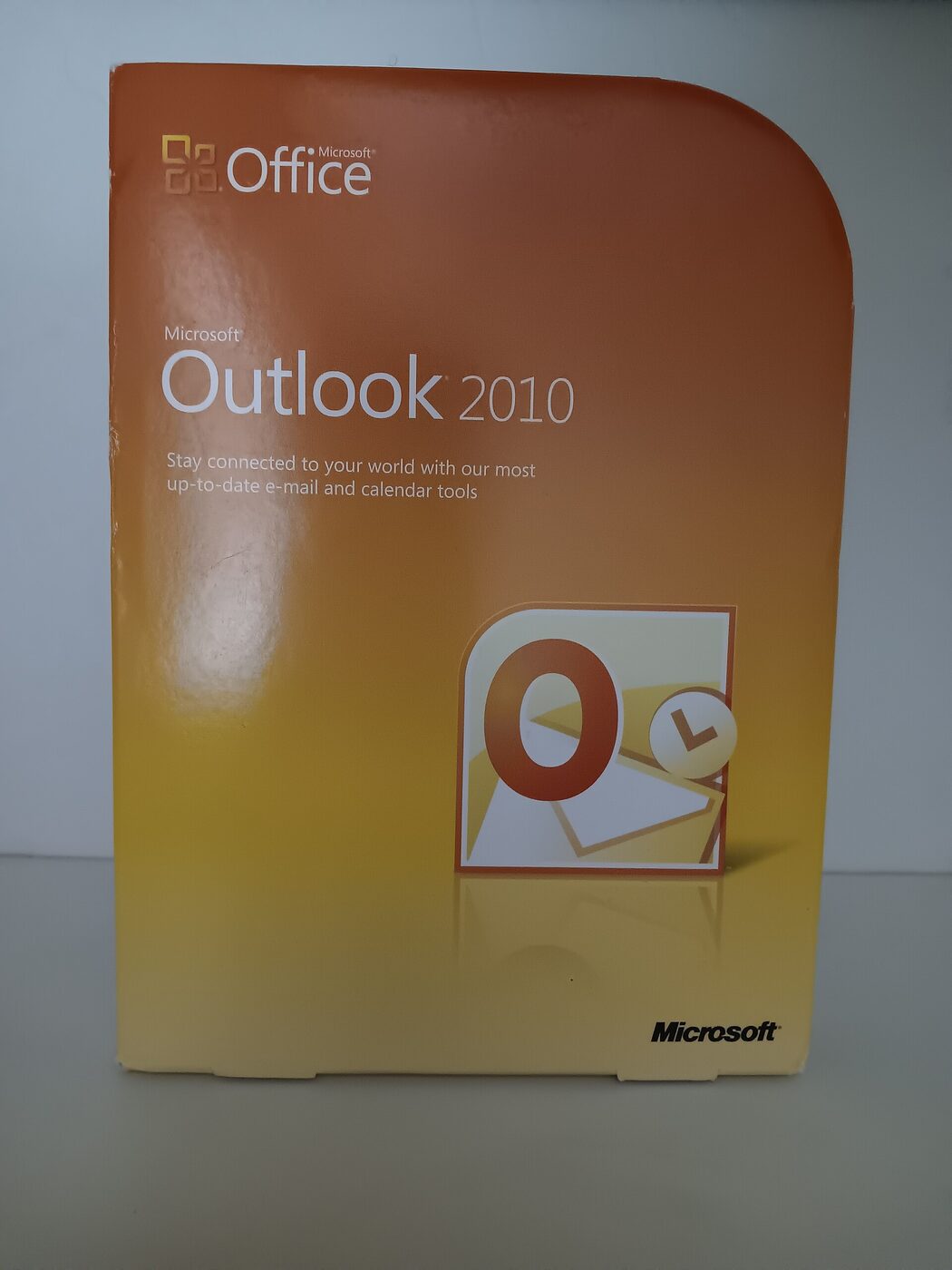

That final coincidence is the tidiest fact on this page. The support room closed in the same summer as the release it would have been busiest with, and the questions about Outlook 2010 were asked somewhere else from the beginning.
The personal folder file
If any one subject dominated the documented problem space of this application, it was the file the application kept its mail in, and unlike almost everything else about a support group, this can be described exactly, because the format is published and its limits are matters of record. What follows is history, not instruction.
The Personal Storage Table, extension .pst, predates Outlook: it was used by the Microsoft Exchange Client and by Windows Messaging, the mail application included with Windows 95 from its second release, with Windows 98 and with Windows NT 4, usually paired with a personal address book in a .pab file. It is a single file containing an entire message store — folders, messages, appointments, contacts, attachments — structured internally as a B-tree with 512-byte nodes and leaves, and every such file opens with the four-byte marker !BDN. Its sibling, the offline store or .ost, is the same technology pointed at a different job: a local copy of a server mailbox, kept synchronised with Exchange.
The original format was ANSI-encoded, with 32-bit internal pointers, and it could not exceed two gibibytes. That ceiling is the single most consequential number in the application's history. It was not enforced gracefully. A file approaching the limit produced errors reporting that the store had reached its maximum size; a file that crossed it could become unusable, and the standard remedy of deleting messages did not help, because deleting from a personal folder file marks space unallocated rather than returning it — the file does not shrink until it is compacted, and recently deleted items can in fact still be recovered from inside it. Microsoft at one point shipped a special-purpose utility, PST2GB, whose entire function was to truncate an oversized file to two gibibytes so that the repair tool could work on what was left.
Outlook 2003 changed the format. The new default was Unicode — UTF-16 little-endian, with 64-bit pointers — and the ceiling moved to 20 GB, where it stayed for Outlook 2003 and 2007 before rising to 50 GB in Outlook 2010. The change came with its own trap, and it is the sort of thing a support room deals with for years: a file created in the new format cannot be opened by an older version of Outlook at all, so a mixed-version organisation acquired a new class of problem on the day it started upgrading. The older format remained supported by every version, and remained the format used for IMAP4 and HTTP accounts, so both formats were in the field simultaneously for the rest of the decade.
Two more properties of the file shaped the questions it generated. The first is that its password protection was never security: Microsoft's own knowledge base said so, in an article about improving the security of these files, and the three encryption settings the format offered — none, a byte-substitution cipher with a fixed substitution table, and a setting described as similar to a wartime rotor machine with three fixed rotors — were not keyed to the user's password at all. The second is that the file was never supported on a network share. Microsoft published an article whose title is the entire argument, Personal folder files are unsupported over a LAN or WAN link, and the reason given was that such files are prone to corruption when used that way. Since putting mail on a file server is precisely what an organisation without Exchange naturally tries to do, this was a permanent feature of the landscape rather than an edge case.
Repair was a shipped utility rather than a service call. scanpst.exe, the Inbox Repair Tool, was included with every version of Outlook, and it did what its name says: walk the structure, discard what it could not reconcile, and produce a file the application would open again — with no promise about what had been in the parts it discarded. A second tool, scanost.exe, the offline folder integrity check tool, existed for offline stores through Outlook 2007; Microsoft's own documentation of what changed in Outlook 2010 records that it is not included in that release and recommends instead resynchronising the affected folder or deleting the offline file and letting Outlook download the information again from Exchange. That is a change in philosophy as much as in tooling: by 2010 the authoritative copy was assumed to be on the server, so the local file had become disposable. In 1999 it very often was not, and that difference explains a great deal about the tone of the era.
The format itself is no longer closed. Microsoft published the structure specification, MS-PST, with free specifications and irrevocable free patent licensing under its Open Specification Promise, and free implementations followed — the GPL-licensed libpst project converts these files to mbox and other open formats. A file format that in 1999 could only be read by the program that wrote it can now be read by anything, which is fortunate, because a very large quantity of the correspondence of the period exists nowhere else.
Profiles and the MAPI layer
The other structural peculiarity of the product is that Outlook did not open an account. It opened a profile. A mail profile was a named collection of services held for a Windows user — a delivery store, one or more transport providers, an address book — and the client's identity, its data file, and its connection to a server were all properties of that collection rather than of the application. Two profiles on one machine could point at the same server and behave differently; a profile could survive a reinstall of the client and reintroduce whatever was wrong with it; and building a new one was the standard escalation for a whole class of faults, precisely because so much state lived there.
Underneath sat MAPI, the Messaging Application Programming Interface, which is best understood as two things sharing a name. Simple MAPI is a subset of twelve functions shipped with Windows itself and used by lightweight clients — it is what Outlook Express had. Extended MAPI is the full interface, shipped with Outlook and with Exchange, and it is what made Outlook a platform rather than an application: a service-provider interface allowed non-Microsoft mail systems to present themselves to Outlook as though they were Exchange, and several vendors wrote such providers. Between the two sat further conveniences, Common Messaging Calls and the Collaboration Data Objects library, aimed at code that wanted to send a message without learning the whole model.
The consequence for a support room is that a question about Outlook was frequently not a question about Outlook. It was a question about which provider a profile had loaded, in which order, with which store as the delivery location — a configuration surface with no user-facing diagram, exposed only through a dialogue box and a registry key. Microsoft's own diagnostic for it, MFCMAPI, was published as a developer sample and became a standard administrator's tool because it was the only way to see what the profile actually contained.
Outlook 98 and Outlook 2000 made this worse in an interesting way by shipping as two applications behind one icon. Installed in Internet Mail Only mode, the client was a lighter program oriented at POP3 and IMAP accounts, with the bundled fax software attached; installed in Corporate or Workgroup mode, it was a full MAPI client oriented at Exchange. The configuration was chosen when the client was installed, the two had different capabilities, different dialogue boxes and different failure modes, and any answer given in this period had to begin by establishing which of the two programs the person asking was running. Outlook 2002 ended the split by making the full client the only client.
One more fact belongs here because it bounds what anybody could have known. The protocol Outlook actually spoke to Exchange — MAPI over RPC, which Microsoft has at times also called Exchange RPC and the Outlook-Exchange Transport Protocol — was not documented publicly until August 2007. For the first decade of this group's existence the wire between the two products was a black box to everyone outside Microsoft, which is one reason the volunteer answering culture around it revolved around observed behaviour, registry keys and shared folklore rather than specifications.
The server behind it
Exchange Server arrived in April 1996, nine months before Outlook, with its own client; that client was bundled up to Exchange 5.0, and in Exchange 5.5 it was removed and Outlook was made the only Exchange client. The relationship defined both products. Outlook's calendar was useful because a server held everyone else's; its address book was useful because a directory backed it; its rules were useful because some of them ran while the client was switched off.
The connection model changed three times in ways a support room would have felt directly, and each change has a version attached to it.

Cached Exchange Mode arrived with Outlook 2003. Instead of working live against the server, the client worked against a local offline store and synchronised with the mailbox; the offline address book was downloaded to the machine as well, so that looking up a colleague did not require a round trip. The design solved the problem of the slow or intermittent link, and created a subtler one in its place: the state a user saw was, by design, a copy, and the difference between the copy and the server was invisible until it mattered. A support room that had spent five years asking whether the server was reachable now had to ask whether the local copy was current.
RPC over HTTP arrived in the same generation, with Exchange Server 2003 and Outlook 2003, and was later renamed Outlook Anywhere. It wrapped the client-server protocol in HTTP so that a laptop outside the office could reach a mailbox without a virtual private network. This is the change that turned Outlook from an application that worked on the corporate network into one that worked anywhere, and it moved a large part of the diagnostic burden from the client to certificates, proxies and published endpoints.
Autodiscover arrived with Exchange 2007 and Outlook 2007, and Microsoft's documentation is blunt about the dividing line: the service cannot be used with earlier versions of Outlook, including Outlook 2003. Exchange creates a virtual directory named autodiscover in its web server and Active Directory holds the authoritative URLs for domain-joined computers, so a client can be handed its own profile settings from an e-mail address and a password instead of being configured by hand. In earlier versions, as the same documentation says, all user profiles had to be configured manually, and extra work was required whenever the messaging environment changed. The manual mail profile — the artefact around which the previous decade of configuration had revolved — was thereby superseded by a web service, which duly became the thing that went wrong instead.
Two further pieces of the picture belong to the server rather than the client. Exchange Server 2003 added ActiveSync for mobile devices, with push mail following in its second service pack, which is how mailboxes reached telephones years before anyone called them smartphones. And in 2014, with Exchange 2013 Service Pack 1, Microsoft introduced MAPI over HTTP, an ordinary HTTP-based transport in place of the RPC wrapper — four years after this group had stopped taking questions, and a reminder that the record here ends well before the technology did.
The security reversal
Between 1999 and 2001 Outlook was among the most convenient mass-mailing mechanisms on the internet, and the reason was a design decision rather than a defect: any program running as the user could ask the client for the address book and ask it to send. What follows is the record of what happened and what Microsoft changed in response. It is history, not guidance, and no technique is described.
The Melissa virus was released on 26 March 1999. It was a macro virus in a Word document, and on computers using Outlook it sent copies of itself to the first fifty entries in the user's address book, so that infected mail arrived from a known correspondent. ILOVEYOU followed on 4 May 2000 and infected tens of millions of Windows machines, mailing itself to the contacts it found. The Anna Kournikova worm of 11 February 2001 was assembled in a few hours from a toolkit by a twenty-year-old in the Netherlands and, when opened on a Windows machine using Outlook, attempted to send itself to every address in the user's address book. The scripting engine those worms were written for, the host that ran them and the wider script-worm story belong to the VBScript group's page, which owns them; what belongs here is the effect on the mail client.
Microsoft's response was the Outlook E-mail Security Update, released on 7 June 2000 for Outlook 98 and Outlook 2000 and re-released that August, and it changed the application's behaviour more visibly than any feature release of the period. It was the third attachment-handling update in a row, and the first two had only required certain file types to be saved to disk first. This one introduced a classification of attachments. Level 1 types — a list of more than thirty extensions covering executables, batch files, script files, installer packages, Access databases and control-panel items — were blocked outright: they remained in the message, but the user could not, in the update's own terms, save, delete, open, print or otherwise manipulate them, and a line at the top of the message said that Outlook had blocked access. Level 2 types, a list that shipped empty for administrators to populate, had to be saved to disk before they could be opened. Everything else prompted.
The update also went after the programmatic surface. An application that asked Outlook for the e-mail names in messages, for information from contacts, to save messages to the file system, to search message content, or to send through Simple MAPI now caused a warning that a human had to answer — the mechanism generally called the object model guard. And it moved the default security zone for message content from Internet to Restricted, which switched off script in HTML mail and in unpublished custom forms as a side effect.
The administrative consequences are the part usually left out, and they are the reason the update is remembered with such feeling. Customisation was available only where mailboxes lived on Exchange 5.0 or later and mail was delivered to a server mailbox: an administrator created a public folder named Outlook Security Settings, published a security form into it with full access reserved to the administrator, and set a registry key on the client that told Outlook to fetch its settings from that folder rather than use the maximum defaults. The tools came as a download from Microsoft's Office Resource Kit site, in a package containing the security form template and a policy file. Where mail was delivered to a personal folder file — every small business, every home installation, every consultant with a laptop — and in Internet Mail Only mode generally, no customisation was possible at all, and the full lockdown applied with no way to change it. A single update thus split the user base into those whose administrator could negotiate with it and those who simply lived with it.
From Outlook 2002 the update was not an update: the behaviour shipped in the product. Outlook 2003, released under Microsoft's Trustworthy Computing initiative, added a junk-mail filter, stopped loading images in HTML messages by default — which broke the tracking beacon and, incidentally, a great deal of legitimate newsletter design — and refused to open executable attachments; its second service pack added anti-phishing filtering. The behaviour has outlived nearly everything else in this story: Microsoft still publishes a current support article on blocked attachments in Outlook, and the client still puts a line at the top of the message to say that access has been blocked.
The cost side of the ledger is documented too, and it fell on exactly the people this hierarchy existed for. A prompt that a human must answer defeats a worm and equally defeats a scheduled job that was supposed to run unattended overnight; a blocked attachment type stops an infection and equally stops a colleague sending a database. Microsoft's own installation notes warned that several Outlook features would no longer work, that any process automating Outlook might behave differently or not at all, and that existing items already holding blocked attachment types would become inaccessible on the day the update was applied. An entire small industry of workarounds, third-party libraries and administrative templates grew up around the guard, and the boundary between legitimate automation and the thing the guard was built to stop was argued over for a decade. This page records that the argument happened; it takes no position in it.
Rules, forms and the customisation layer
Outlook was sold as a client and used as a platform, and the branch's three program_ groups correspond exactly to the three layers at which people extended it.
Rules came first, and the important structural fact about them is that they were divided by where they could run. An inbox rule that Exchange could evaluate belonged to the mailbox and was applied on the server, whether or not anyone was logged in. A rule that depended on something only the client had — a local personal folder file as the destination, a desktop alert, a custom action supplied by an add-in — was a client-side rule, and Microsoft still documents the consequence in the present tense: a rule with a custom action runs only on the computer where it is installed, and only when Outlook is running. Two rules that looked identical in the same dialogue box could therefore behave completely differently, and nothing on the screen explained why beyond a phrase in the rule's description.
Forms were the second layer and the strangest. Every item in Outlook — a message, an appointment, a contact — was displayed by a form, and the standard forms could be opened in a designer, given new pages and controls, published, and used in place of the original. Code could be attached behind a form in VBScript, running at the level of the item and its controls. That the distinction between a published and an unpublished custom form mattered is not a matter of folklore: it is written into the 2000 security update, which disabled script in HTML mail and in unpublished custom Outlook forms specifically. This layer made Outlook a small application-development environment aimed at people who were not full-time developers, and the update landed on it squarely.
Code was the third. Exchange Client Extensions had been supported since Outlook 97. Then, in a press release datelined Los Angeles, 12 October 1998, Microsoft announced that Outlook 2000 would join the rest of the Office 2000 suite in supporting Visual Basic for Applications, adding that the object model had been significantly expanded to give greater programmatic access to the application's user interface and to application events, and that Outlook would also support the new COM add-in architecture the rest of the suite was adopting. From Outlook 2000, therefore, there were three ways to put your own code inside the client — a macro project stored on the machine, a compiled COM add-in, and script behind a form — and one group in the branch for each. The Office-wide VBA story, and the room where most of it was argued out, belong to the Excel programming group's page.
All three layers ran into the same wall in 2000, and it is worth seeing why the wall was so unpopular. The object model guard could not distinguish between a worm reading the address book and a departmental macro reading the address book, because at the level of the interface there was no difference to see. Automation that had been written when the platform was open had to be rewritten, wrapped, exempted by an administrator, or abandoned. The customisation layer never really recovered its early-1999 confidence, and the later history of Outlook extensibility — signed add-ins, then web add-ins running in a sandbox — is a long retreat from the position that made the worms possible in the first place.
Winmail.dat and the other files
A support room for this product inherited a set of file-format oddities that had nothing to do with the mailbox and everything to do with the fact that Outlook's internal model of a message was richer than the internet's. Four of them are worth recording, because each generated a permanent genre of question and each is documented.
TNEF, the Transport Neutral Encapsulation Format, is the best known. Choosing Rich Text as the format for an outgoing message makes Outlook encode it with TNEF instead of the widely compatible MIME conventions, and the Outlook-specific parts of the item — embedded objects, custom forms, voting buttons, meeting requests — travel in a proprietary binary attachment, conventionally named winmail.dat, beside a degraded rendering of the message. A recipient using Outlook sees the item as it was sent; a recipient using anything else receives a partial message and a file the client cannot open. Third-party decoders exist for every platform because the problem was universal.
The .msg file is Outlook's own single-item format, specified as MS-OXMSG, and the default when a message is saved to disk or forwarded as an attachment — in preference to the standard .eml format that any client can read. Compatibility with past or future Outlook versions is neither documented nor guaranteed, and the specification has been through many versions, which matters to anyone attempting to read an archive today.
The nickname cache is the small one that caused disproportionate grief. The autocomplete list — the addresses the client offered as you typed, which for most users was their real address book — was stored by Outlook 2007 and earlier in a nickname file on the disk, with the extension .nk2. It did not live in the mailbox, so it did not follow a user to a new machine, and it was not part of any backup that only covered the mail store. From Outlook 2010 the list moved into the mailbox, stored as a hidden message in the primary message store, with the older nickname files importable. The change is a good miniature of the decade's direction of travel: state that had been a loose file on a workstation became a property of the mailbox on the server.
The offline address book, extension .oab, is the fourth: a downloadable collection of address lists, generated on the server and pulled to the client so that a user working from the local copy can still look people up. Between the store, the offline store, the address book, the offline address book, the nickname cache and the profile, a working Outlook installation depended on at least six pieces of state that could disagree with one another. This is the honest explanation for why the room existed.
Who answered
Nobody was on duty. The public microsoft.public.* groups were unmoderated, and answers came overwhelmingly from unpaid outsiders: experienced users, consultants, administrators who had solved the same problem the previous month, and the recognised Most Valuable Professionals whose award programme is described on the hierarchy's own page and not repeated here. Recognition conferred no authority in the group — no moderator status, no privileged posting route, no obligation to answer — and worked chiefly as an identification a reader could see in a signature block, in a medium that otherwise carried no reputation system whatever.
The structural point about this particular product is that its audience was three audiences. An end user asking why a printed calendar came out wrong, an administrator asking why a hundred profiles rebuilt themselves after a server move, and a developer asking why an add-in stopped loading were all, formally, in scope for the same room, and the branch's shape — a general group, an installation group, a printing group, three programming groups — is Microsoft's attempt to sort them apart. Whether it worked cannot be established from the paperwork.
No individual is named on this page. There is no moderator roster to consult, because there were no moderators; no register of which recognised experts worked which group; and no reliable published source that ties a named person to microsoft.public.outlook specifically. Several well-known figures in the Outlook world of the period plainly answered questions in newsgroups, and it would be easy to assume which ones and where. This directory does not infer participation from reputation, and so names nobody.
Where the questions went
Microsoft closed the public newsgroups in a phased shutdown during 2010. The notice the company posted into the groups themselves said that all public newsgroups would be closed between 1 June and 1 October 2010, that the closures would start with the least active groups and work towards the more active ones over the following six months, and that each group would be pointed at a named replacement forum; individual groups accordingly carried different effective dates. The announcement, the reasoning and the schedule belong to the hierarchy page. For this product the traffic split by audience, as it always had. Consumer questions went to the company's public question-and-answer site at answers.microsoft.com; administrators and developers went to the TechNet and MSDN forums.
Neither destination has proved more durable than the newsgroups. Microsoft announced Microsoft Q&A in 2019 as the replacement for the MSDN and TechNet forums, which were duly retired; and the consumer site has since been folded in as well — as of August 2026, a request to answers.microsoft.com returns a permanent redirect to learn.microsoft.com/answers. A reader following a 2010 pointer out of a newsgroup posting is therefore now on their third forwarding address, which is a reasonable argument for the durability of a plain-text archive.
The group itself did not die when the server did, because it had never been Microsoft's to delete once it was propagating. microsoft.public.outlook is still listed in the Internet Systems Consortium's active file, still flagged y, still carrying the same vendor description in the matching newsgroups file; independent servers carry it, and a newsreader pointed at one will still open it. What it no longer carries is the population that made it worth opening.
The product, meanwhile, went on without it: Outlook 2013, 2016 and 2019, the subscription releases, the mobile applications, and the web-derived new Outlook for Windows. A reader who follows this group's name into Microsoft's current documentation will find a program that shares almost nothing with the one the group was created for except the name and the icon — which, given how much of this page has been spent disentangling four products that shared a name, is a fittingly Outlook-shaped ending.
What the record does not show
This page has been assembled from two kinds of source, and it is important to be clear about which claims rest on which. The administrative statements — the creation message, its timestamp, the sweep, the third-party control messages, the January 2000 churn, the names that did not survive, the branch's fifteen names, the description in the newsgroups file — come from the Usenet control archive and the namespace files, and can be checked by anyone who fetches the same files. Everything about the software comes from published documentation, specifications, Microsoft's own press releases and encyclopaedia articles about the products.
Nothing on this page comes from reading the group's traffic. No posting is quoted, no thread is described, no participant is named, no volume is estimated, and no claim is made about which of the subjects above actually dominated the room. The natural assumption — that a support group for a mail client carried mostly questions about the mail client's data files and its server connection — is a reasonable inference from what the product was, and it is stated here as an inference, not as a finding.
Four specific things the record does not settle. There is no founding date: the earliest paperwork for this exact name is a bulk re-announcement from November 2000, and the group may well be older. There is no closing date: the shutdown ran group by group, least active first, and no consolidated list of individual dates appears to have survived, so the last day of microsoft.public.outlook is a matter for the tail of its own archive. There is no charter: the hierarchy had no proposal process, and the sentence that serves as one is a catalogue line written by the vendor. And there is no human record: no roster, no register, no accounting of who did the answering.
Finally, the boundaries. Outlook Express, its scripting surface and its newsreader role belong to the French IE and Outlook Express page; VBScript, the Windows Script Host and the script-worm story to the VBScript page; the hierarchy's creation, administration, award programme and 2010 retirement to the Microsoft branch page. The material here on file formats, size limits and security behaviour is descriptive history of a discontinued configuration; none of it is offered as advice, and no working procedure is given. Product dates, version numbers and specifications were checked in August 2026 against Microsoft's published documentation and press archive, the Internet Systems Consortium's Usenet control archive and namespace files, and encyclopaedia sources.
Reading microsoft.public.outlook today
- Historical archive: Google Groups — microsoft.public.outlook (coverage varies by group and era).
- Open in a newsreader:
news:microsoft.public.outlook— the original site offered exactly this link, and it still works if your system has a newsreader registered for thenews:scheme. - Live access: point an NNTP newsreader at a modern server — see accessing Usenet today.
- The original news2mail e-mail subscription service ended in the mid-2000s and no longer operates.